

Remote Team Documentation Strategies
|
March 9, 2026
|

5 Best Practices for Making Instructions Clear and Effective
Key Highlights:
- Setting clear objectives enhances the effectiveness of teaching instructions, guiding learners on expected outcomes.
- Utilising SMART criteria (Specific, Measurable, Achievable, Relevant, Time-bound) can significantly improve educational objectives.
- Conducting audience analysis helps tailor instructions to meet the specific needs and knowledge levels of learners.
- A step-by-step format simplifies instructions, making them clearer and easier to follow.
- Incorporating visual aids like diagrams and screenshots enhances understanding and retention of information.
- Regularly reviewing and updating instructional content ensures relevance and accuracy, improving overall effectiveness.
Introduction
Crafting clear and effective instructions is more important than ever in our fast-paced learning environments. You might be wondering why clarity matters so much. Well, it can really make a difference in how well people understand and remember what they learn! In this article, we’re diving into five best practices that not only boost instructional clarity but also help educators and trainers connect with their audiences in a more meaningful way.
But here’s the thing: with so many methods out there, how do you figure out which ones truly resonate with learners? What really leads to those measurable outcomes we all want? Let’s explore this together!
Establish Clear Objectives for Instructions
You might be wondering how to develop making instructions for effective teaching. Well, it all starts with setting clear goals that outline what learners should accomplish by the end of the session. Instead of saying something vague like 'understand the process,' why not specify a more precise objective? For instance, you could say, 'be able to complete the process independently within 30 minutes.' This kind of clarity not only guides your making instructions but also helps learners focus on what really matters, making the whole experience more engaging.
Now, let’s talk about the SMART criteria - Specific, Measurable, Achievable, Relevant, and Time-bound. Using these can really amp up how you formulate your objectives. Research even suggests that having clear and measurable goals can boost educational outcomes by as much as 30%! (source: Nurse Education Today, Volume 112, 2022). When everyone involved has a shared understanding of the making instructions, it enhances the educational experience, leading to better retention and application of knowledge.
For example, an instructional objective framed with SMART criteria might look like this: 'By the end of this session, participants will be able to draft a project proposal that meets all specified requirements within 60 minutes.' This approach not only clarifies expectations but also sets a tangible benchmark for success, creating a more productive learning environment. As John Doerr wisely said, 'A goal properly set is halfway reached.' This really highlights how important clear goal-setting is for achieving the outcomes you want.

Identify Your Audience and Their Needs
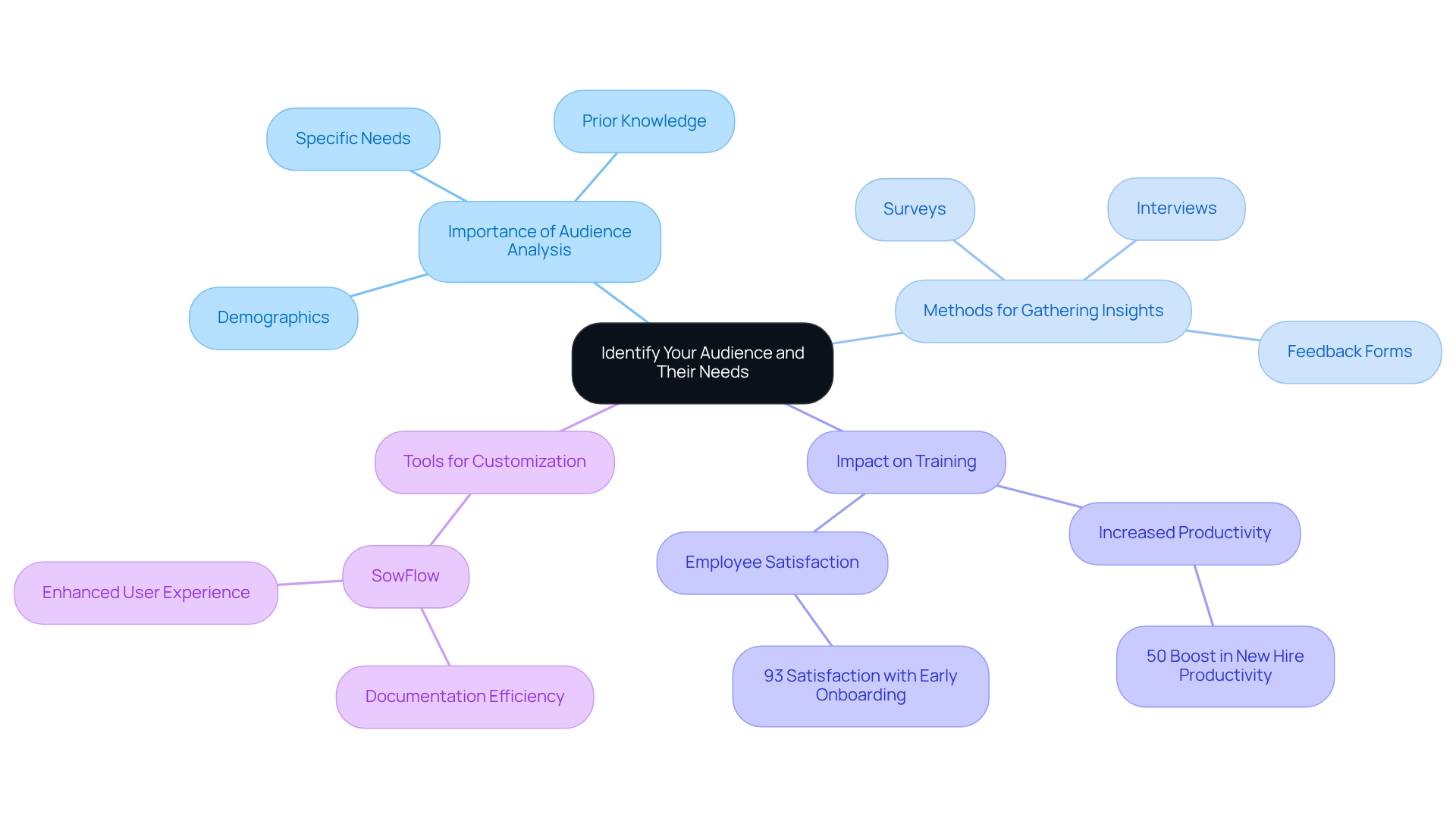
You might be wondering why recognizing your audience is so crucial for making instructions impactful. Well, conducting a thorough audience analysis can really help you get a grip on demographics, prior knowledge, and specific needs. For example, when you're training new employees, it’s super important to ditch the jargon and stick to straightforward language to make things easier to understand. On the flip side, if you’re talking to experienced professionals, throwing in some technical terms and advanced concepts can really boost engagement.
Surveys, interviews, and feedback forms are fantastic tools for gathering insights about your audience's preferences and challenges. Did you know that research shows organizations with customized onboarding strategies see a whopping 50% boost in new hire productivity? That really highlights how important it is to grasp audience needs in making instructions. Plus, 93% of employees who got an early start in their onboarding described their experience as 'over the moon.' That’s a clear sign of how effective audience identification can positively impact retention and satisfaction.
Now, let’s dive into how SowFlow makes the process of developing these customized making instructions a breeze. One product owner even said, "SowFlow has been a game changer in the way we document work and deliver to our clients." I mean, who wouldn’t love not having to take each screenshot separately or leave the browser while creating SOPs and training materials? This really shows how SowFlow not only boosts documentation efficiency but also significantly enhances the user experience.
Utilize a Step-by-Step Format for Clarity
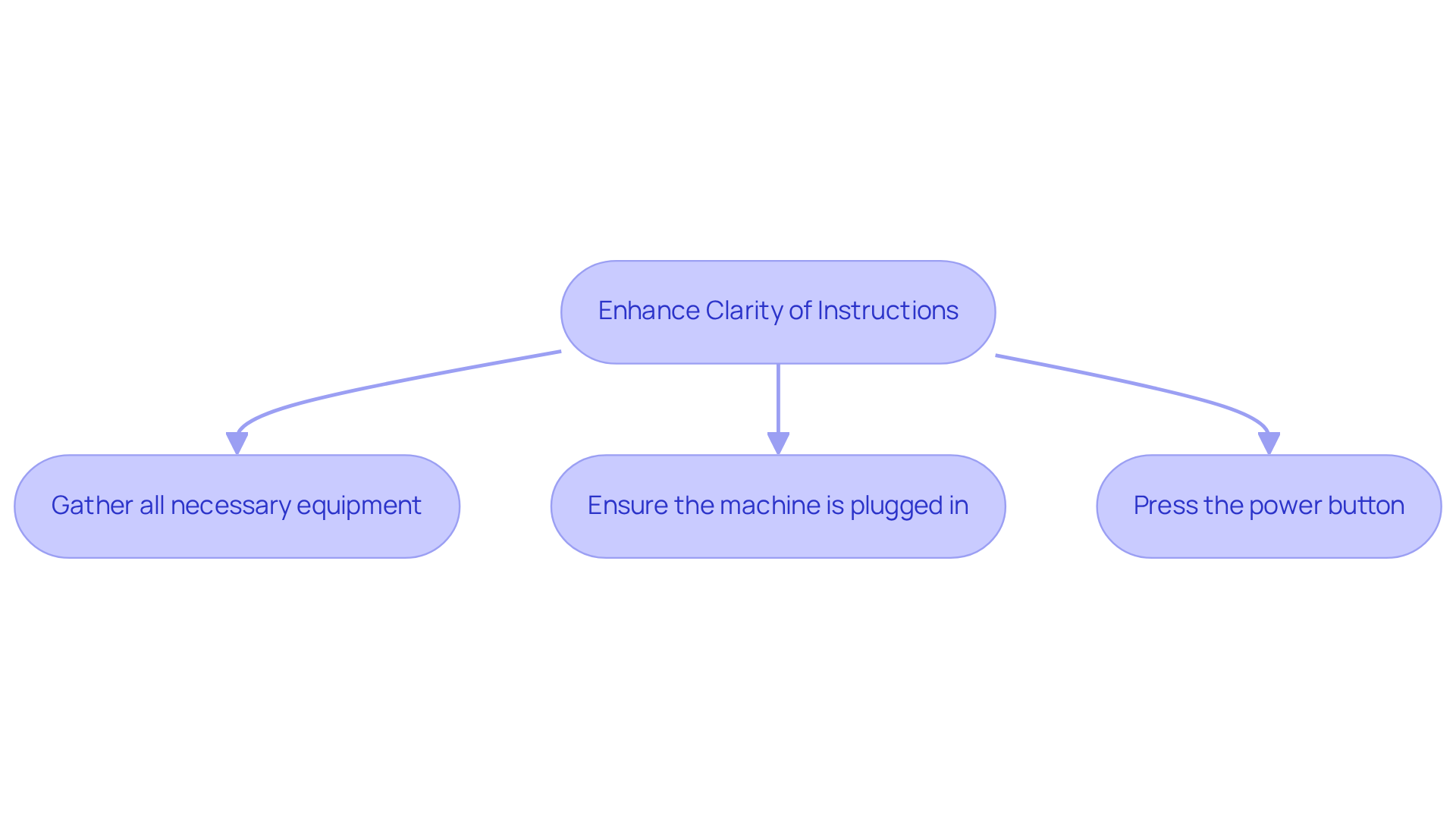
Do you want to enhance the clarity of your making instructions? Try adopting a step-by-step format for making instructions! Making instructions should ensure that each step is concise and focused on just one action. For instance, instead of saying, "prepare the equipment and start the machine," break it down into distinct steps:
- Gather all necessary equipment.
- Ensure the machine is plugged in.
- Press the power button.
This way, by making instructions, you simplify the learning process and help learners track their progress easily.
Using numbered lists or bullet points can really help in making instructions! They visually distinguish each step, making instructions more scannable and user-friendly. Research shows that concise instructions boost user comprehension, which leads to better retention and application of the information. Effective making instructions not only enhance understanding but also empower users to tackle tasks with confidence and efficiency.
Now, let’s talk about how SowFlow can help streamline your documentation process. It allows for instant updates and revisions, keeping your guides relevant in our ever-changing business world. But watch out for common pitfalls in instructional design! Overloading steps with too much information or failing to provide context for each action can trip you up. By avoiding these mistakes and leveraging SowFlow's features, you can create guidance that truly supports your users on their educational journey.
Incorporate Visual Aids to Enhance Understanding
You might be wondering how to improve your making instructions to be more effective. Well, incorporating visual aids can really boost understanding and retention! Think about it: using diagrams, flowcharts, screenshots, and videos to illustrate key points can totally transform the learning experience. For instance, when you're guiding someone through software navigation, annotated screenshots that highlight specific buttons or features not only clarify things but also keep learners engaged. Did you know that research shows visual learners retain up to 80% of what they see? That’s way more than the 10% they remember from text alone! It really highlights how powerful visual tools can be in education.
Now, to really maximize the impact of those visuals, make sure they’re relevant and directly support what you’re teaching. Infographics can be a game-changer for summarizing complex information in a visually appealing way, helping learners grasp essential concepts quickly. Educators are on board with this too; about 83% believe that visual aids improve student understanding. Plus, studies indicate that using diagrams and flowcharts can boost retention rates by up to 42%! That’s why incorporating these visual elements is so valuable in training materials. By doing so, you can create clearer making instructions that are more impactful and resonate with different learning styles. So, why not give it a shot?

Regularly Review and Update Instructions
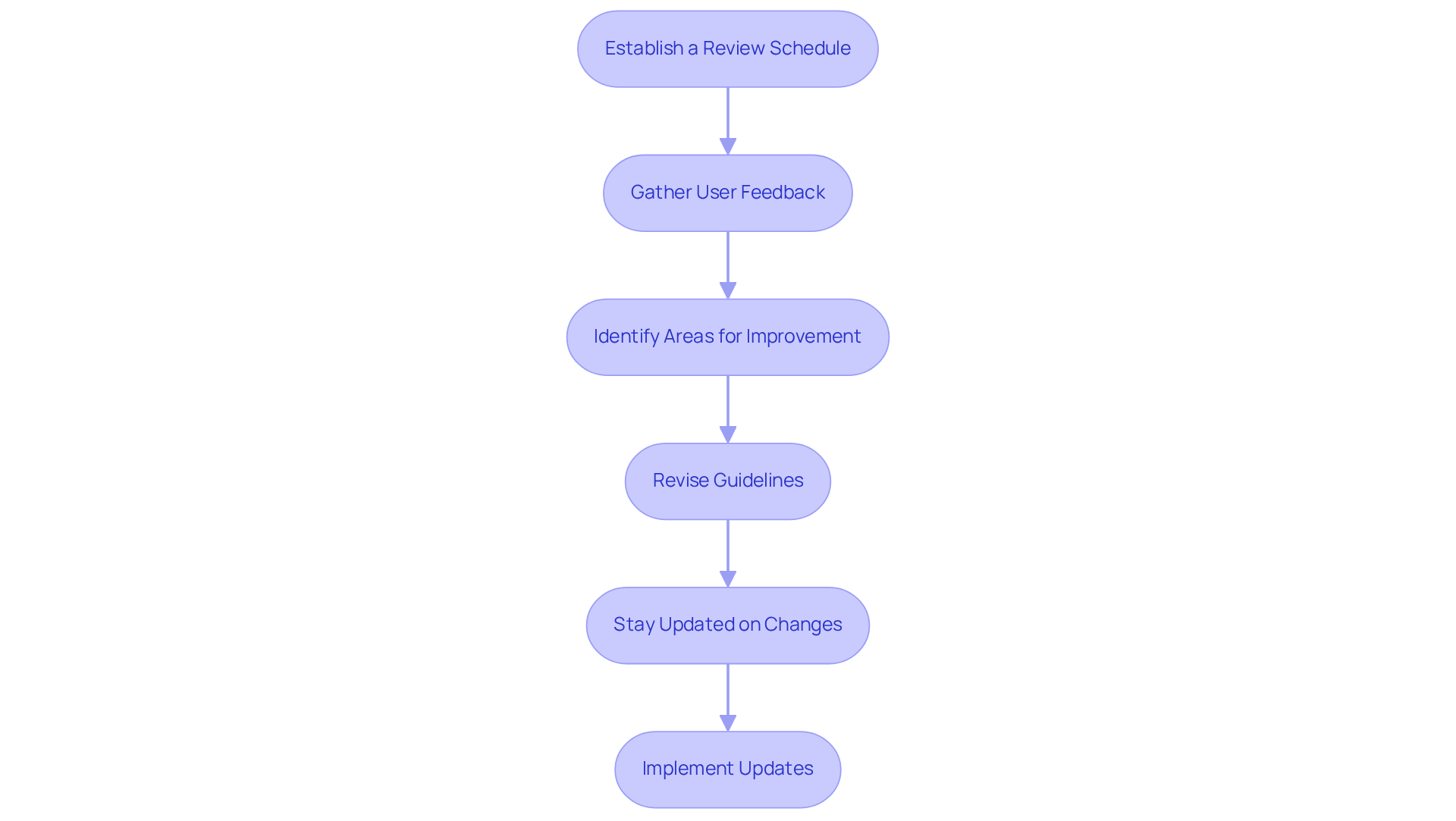
You might be wondering how to keep your guidelines effective, right? Well, establishing a routine for reviewing and updating them is key! Think about setting up a schedule for periodic evaluations - quarterly or biannually works great - to check if your content is still relevant and accurate.
During these reviews, don’t forget to gather user feedback! It’s super helpful for pinpointing areas that might need a little TLC. For instance, if users are consistently struggling with a specific step, revising that section for better clarity can really boost their experience.
And hey, staying in the loop about any changes in processes or technologies that could affect your guidelines is just as important. Regular updates not only make your documentation more reliable but also aid in making instructions that empower users to follow them with confidence. This means less confusion and a nice bump in overall productivity!
Organizations that make this a priority often see a noticeable improvement in operational efficiency. In fact, studies show that effective documentation can lead to a 14% increase in productivity! By fostering a culture of continuous improvement in your documentation, you’re setting the stage for a more structured and scalable operational environment. So, why not dive in and start making those updates today?
Conclusion
You might be wondering how to make your instructions clearer and more effective. Well, establishing clear and effective instructions is key to enhancing the learning experience and ensuring everyone gets the most out of it. By focusing on well-defined objectives and understanding what your audience needs, you can create instructional materials that really hit home. And let’s not forget about visual aids - they're fantastic for boosting comprehension and catering to different learning styles, which helps everyone retain information better.
So, what are some key practices to keep in mind? Utilizing the SMART criteria for goal-setting is a great start. Conducting thorough audience analyses and implementing step-by-step formats are also essential strategies. Plus, regularly reviewing and updating your instructional content is super important. It keeps things relevant and accurate, which ultimately leads to better productivity and happier users.
Incorporating these best practices doesn’t just change how you communicate instructions; it also empowers learners to engage more effectively with the material. By committing to clarity and continuous improvement, you can create a structured and effective learning environment that fosters success and confidence among all participants. Embracing these principles will truly pave the way for more effective teaching and learning experiences, making a real difference in educational outcomes. So, why not give it a try?
Frequently Asked Questions
What is the importance of setting clear objectives for instructions?
Setting clear objectives helps outline what learners should accomplish by the end of the session, guiding the making instructions and allowing learners to focus on important aspects, making the experience more engaging.
What are the SMART criteria for formulating objectives?
The SMART criteria stand for Specific, Measurable, Achievable, Relevant, and Time-bound. Using these criteria enhances the formulation of objectives and can significantly improve educational outcomes.
Can you provide an example of a SMART objective?
An example of a SMART objective is: "By the end of this session, participants will be able to draft a project proposal that meets all specified requirements within 60 minutes."
How does audience analysis contribute to effective instructions?
Audience analysis helps understand demographics, prior knowledge, and specific needs, allowing for tailored instructions that enhance comprehension and engagement.
What tools can be used to gather insights about the audience?
Surveys, interviews, and feedback forms are effective tools for gathering insights about the audience's preferences and challenges.
What impact does customized onboarding have on new hire productivity?
Organizations with customized onboarding strategies can see a 50% boost in new hire productivity, highlighting the importance of understanding audience needs.
How does SowFlow assist in developing customized making instructions?
SowFlow streamlines the documentation process, making it easier to create and deliver training materials without the hassle of taking separate screenshots or leaving the browser, thus enhancing efficiency and user experience.
👍
What others are liking


5 Steps to outline your ideal documentation structure
5 MINS READ
Where to start the your journey of mapping out your ideal documentation structure, aligning it with the very heartbeat of your organization?
Defining a winning level of detail in your process
3 MINS READ
What is too much detail, and what is too little? This article described in that winning level detail about what detail is enough.


