

Streamlined Onboarding Processes
|
April 29, 2026
|

4 Best Practices for Choosing an Online Documentation Tool
Key Highlights
- Organisations should assess their specific documentation needs before selecting tools.
- Key questions include goals for documentation, user tech skills, and existing process challenges.
- 79% of companies believe smart information management will be vital by 2025.
- User-friendly features like intuitive interfaces and collaboration tools enhance tool adoption.
- SowFlow allows simultaneous document editing, improving teamwork and reducing bottlenecks.
- Robust search functionality helps users quickly find information, addressing collaboration gaps.
- Integration with existing workflows is crucial for efficiency; 95% of IT leaders cite integration issues as a barrier to AI adoption.
- Automation can save organisations 10-50% of time spent on manual tasks.
- Continuous training and support are essential for maximising tool usage and user satisfaction.
Introduction
Choosing the right online documentation tool can feel like navigating a maze, right? With so many options out there, it’s easy to get overwhelmed. First things first, you’ve got to figure out what your organization really needs. It’s not just about meeting today’s requirements; you want a system that can grow with you in the future.
Now, here’s something to think about: did you know that 88% of customers expect seamless access to self-service portals? And let’s not forget the hefty costs that come with poor document management. So, how can companies streamline their processes while making sure users actually adopt these tools? This article is here to help! We’ll dive into some best practices that empower you to make informed choices, integrate tools into your existing workflows, and provide the essential training and support your users need.
Evaluate Organizational Needs for Documentation Tools
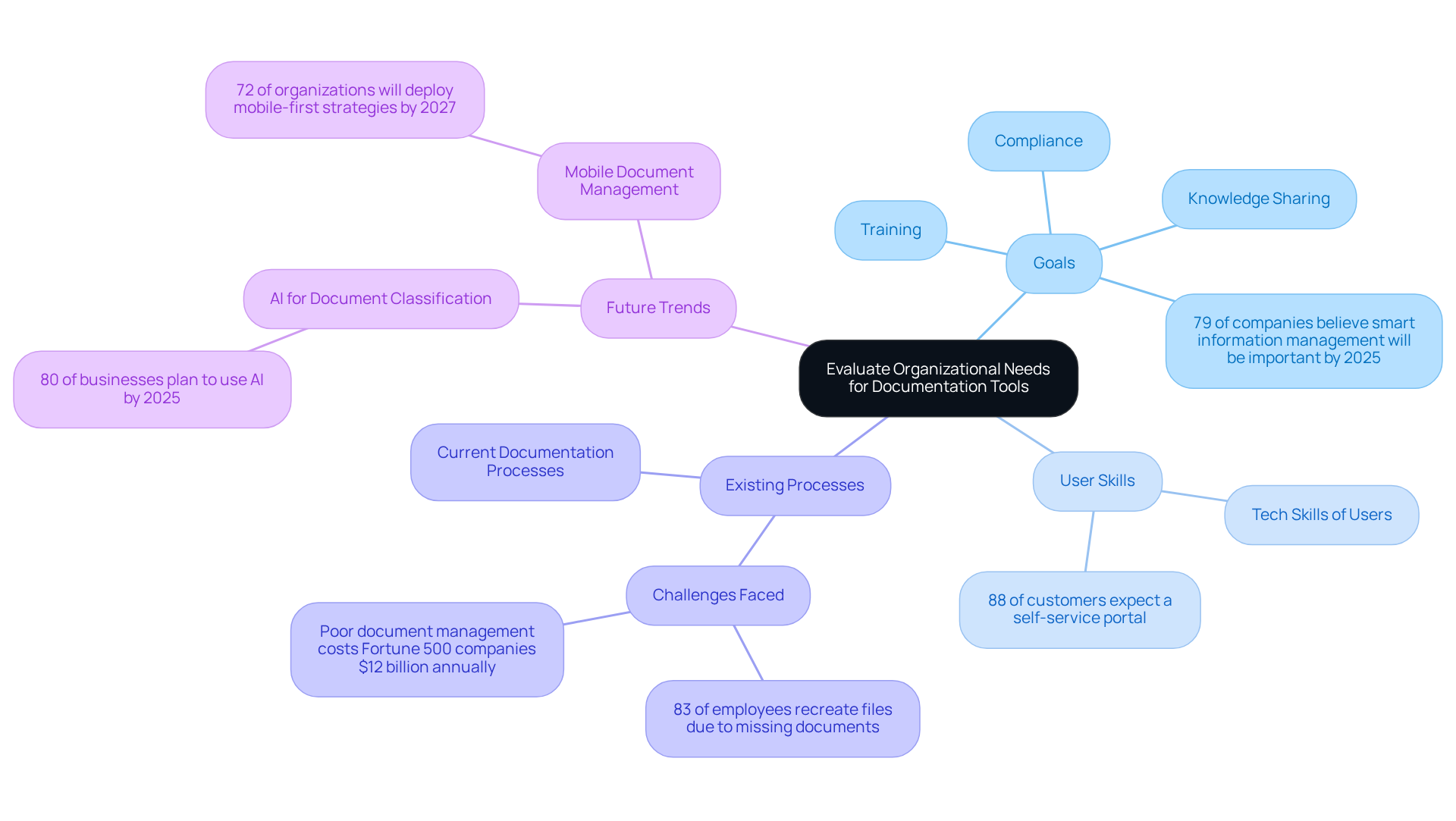
When it comes to picking the right online resource, you might be wondering where to start. Well, organizations really need to take a good look at their specific needs first. This means figuring out what types of records they need, how much content they'll be dealing with, and who will actually be using the system. Here are a few key questions to consider:
- What are the main goals for the documentation? Are we talking compliance, training, or maybe ?
- Who's going to be using this tool, and what kind of tech skills do they have?
- What do we already have, and what hiccups are we facing?
By tackling these questions, organizations can get a clearer picture of what they really need. This clarity not only helps in choosing a resource that fits the bill now but also ensures it can grow with them in the future. And here’s a fun fact: 79% of . Plus, 80% of businesses plan to use AI for by then, which really highlights the need to align record-keeping tools with company goals.
Now, let’s not forget that 88% of customers expect businesses to offer a for . So, making sure that access is user-friendly is a big deal. Ultimately, a smart selection process can boost productivity and cut down on inefficiencies. Did you know that about $12 billion each year? That’s a staggering amount! And when records are missing, it can really hurt productivity. In fact, 83% of employees end up duplicating files simply because they can’t find what they need. As Marina Coelho, a DevRel Engineer at Google, wisely said, "Good guidelines can be the key to success for a team.
Prioritize User-Friendly Features for Enhanced Adoption
When you're selecting an , it’s super important to focus on what truly improves the experience and helps everyone get on board smoothly. So, what should you look for? Here are some key aspects to consider:
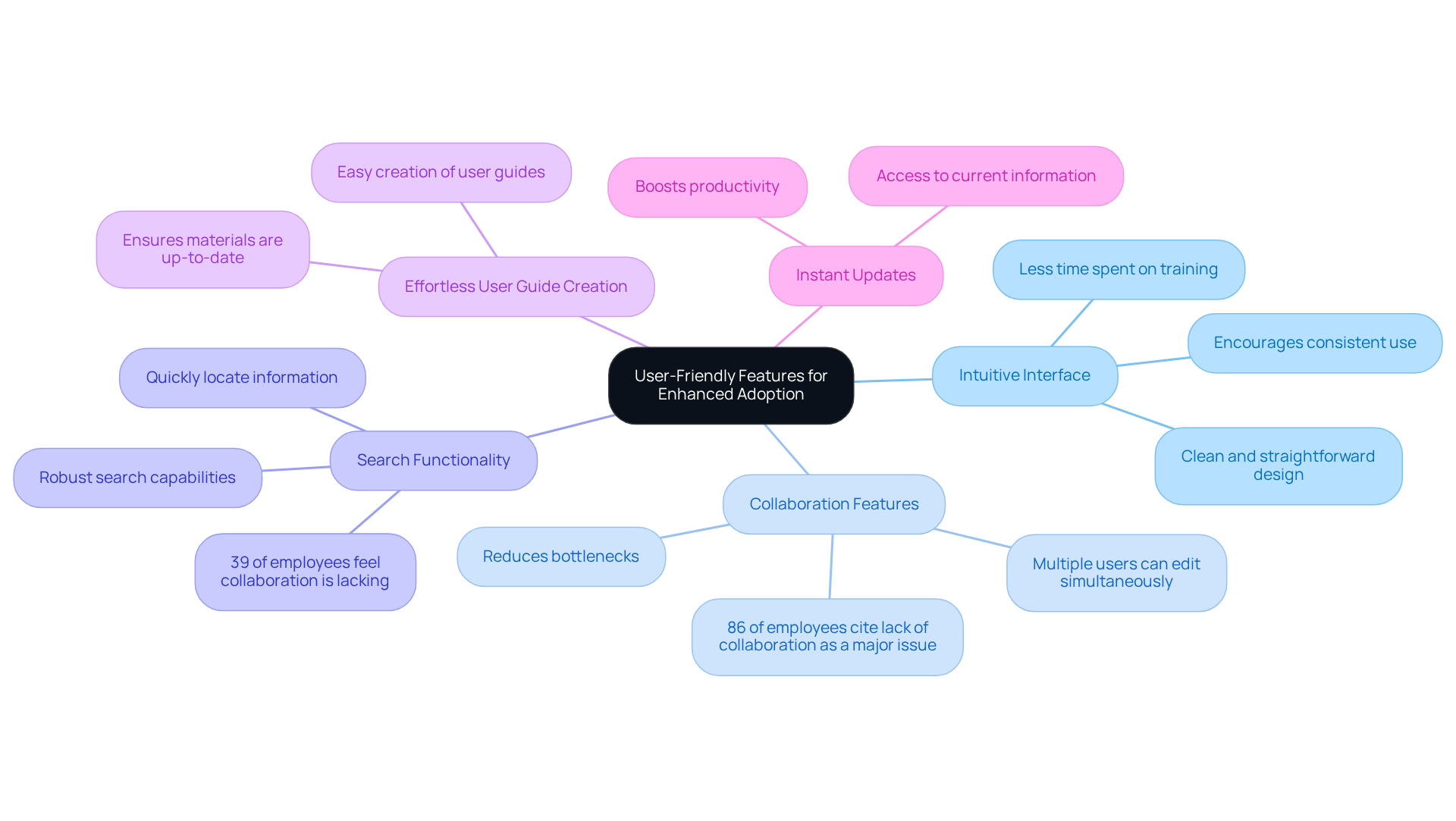
- : You’ll love how SowFlow has a clean and straightforward design. It lets you navigate the tool without breaking a sweat, which means less time spent on training and more time getting things done. This simplicity makes the whole experience more engaging and encourages you to use it consistently.
- : Ever felt stuck waiting for someone to finish a document? With SowFlow, multiple people can work on documents at the same time, which really boosts teamwork and cuts down on those annoying bottlenecks. It’s crucial because, let’s face it, 86% of employees say that is a big reason for workplace failures.
- Search Functionality: Need to find something fast? SowFlow’s let you quickly locate the info you need, making everything run smoother. This feature is a game-changer, especially since 39% of employees feel that collaboration in their organization is lacking. It helps bridge those communication gaps and streamlines workflows.
- : Creating user guides doesn’t have to be a chore. With SowFlow, you can whip them up easily, ensuring that your materials are always relevant and up-to-date. This is super important in today’s fast-paced business world.
- Instant Updates: Imagine being able to update records without any hassle. With SowFlow, that’s a reality! Teams can access the most , which boosts productivity and .
By focusing on these , companies can ensure their teams are more likely to adopt the new . This leads to better record-keeping practices and improved . So, what do you think? Ready to explore how these tools can make your documentation challenges a breeze?
Integrate Documentation Tools with Existing Workflows
To boost the efficiency of your online resources, it’s super important to blend them seamlessly with your current workflows and systems. You might be wondering how to do that? Here are some key strategies to help you out:
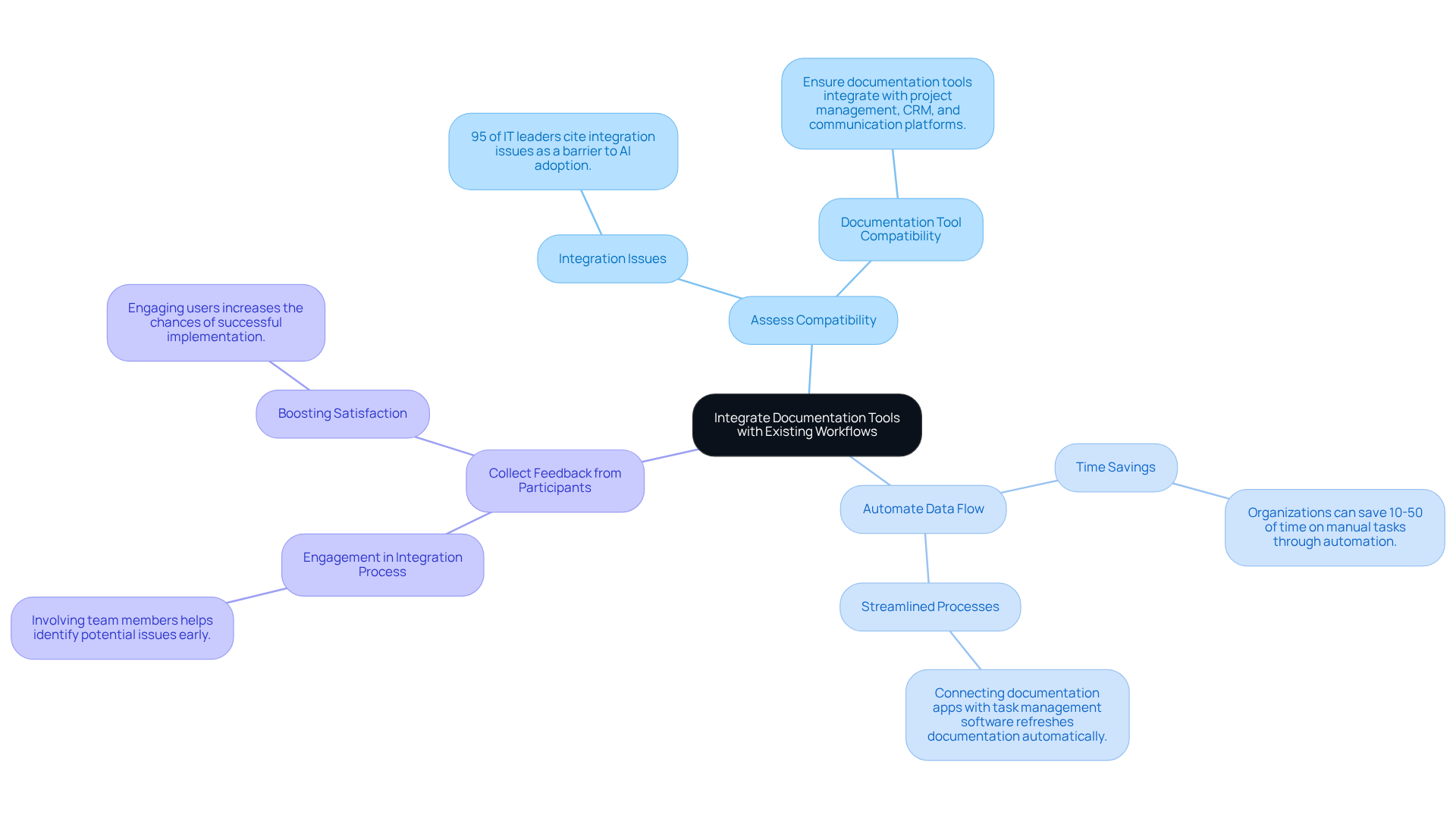
- : First things first, make sure your can easily integrate with the other software your team uses, like , CRM systems, or communication platforms. Compatibility is key! Did you know that 95% of IT leaders point to as a major hurdle to AI adoption? That really highlights the need for cohesive systems.
- : Next up, let’s talk automation. Implementing and streamline your processes. For instance, if you connect your documentation apps with , you can automatically refresh your documentation whenever there are project changes. Studies show that organizations that embrace automation can save anywhere from 10-50% of the time they used to spend on manual tasks. Plus, 73% of IT leaders say these time savings come from automation, which can seriously amp up your efficiency.
- : Now, let’s not forget about the people using these resources. Engaging your team in the integration process by asking for their input on how the resource fits into their daily activities can be a game changer. This approach helps you spot potential issues early on and makes for a smoother adoption process. Involving your team not only but also increases the chances of a successful implementation.
By focusing on integration, you can create a unified workflow that enhances productivity and reduces the bumps often associated with adopting new resources. So, what do you think? Ready to dive into these strategies?
Provide Continuous Training and Support for Users
You might be wondering how to really make the most of an . Well, here’s the thing: organizations need to focus on and support for their users. By implementing a few key strategies, you can boost and proficiency significantly.
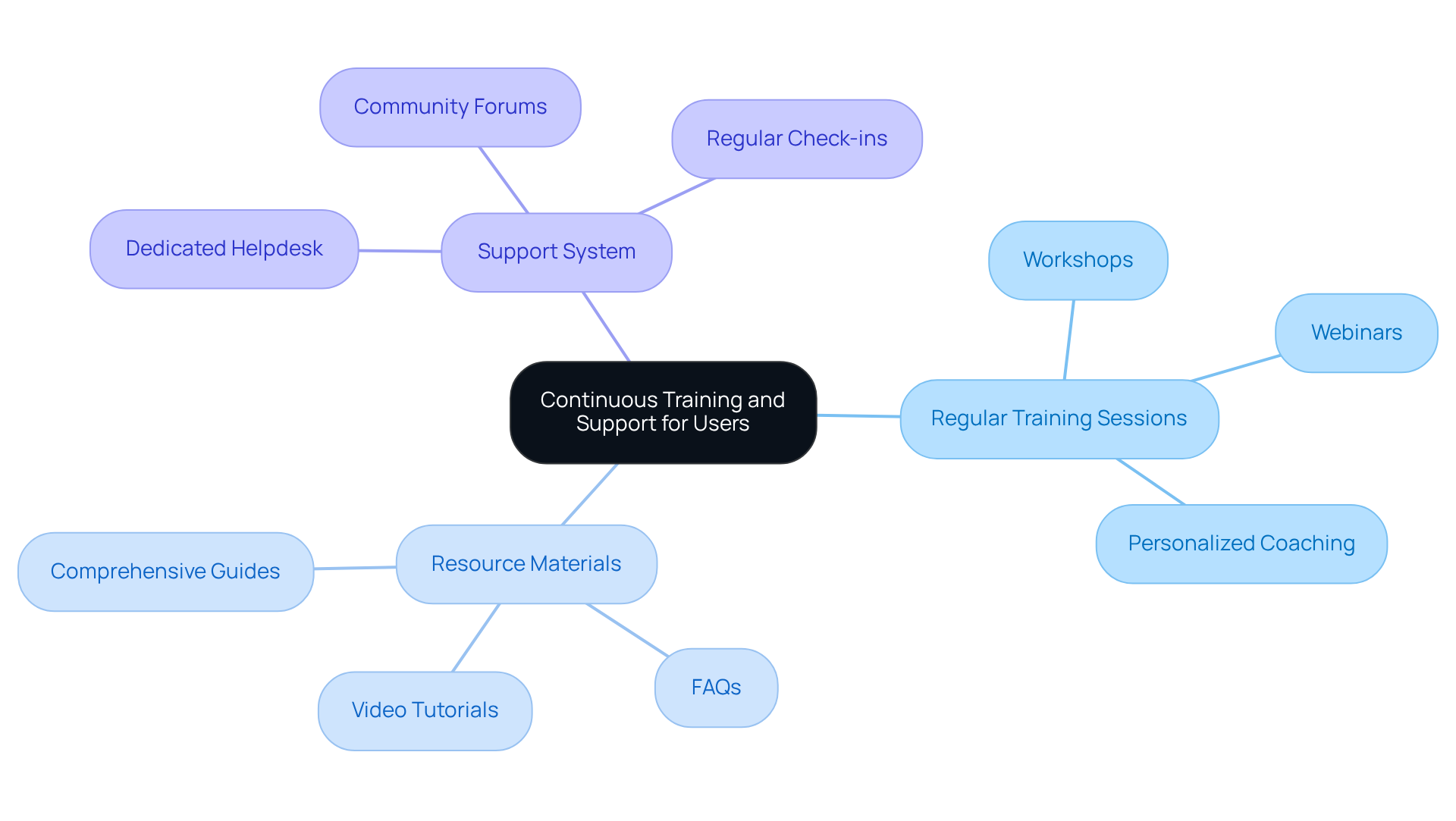
First off, let’s talk about . It’s super important to hold sessions that help users get familiar with new features and reinforce what they already know. Think workshops, webinars, or even personalized coaching. Keeping participants engaged and informed is the name of the game!
Next, consider creating . Developing , FAQs, and video tutorials that users can easily access within the is a game changer. These resources serve as handy references, allowing individuals to on their own and really enhance their overall experience.
And don’t forget to Establish a . A solid where users can ask questions and seek help is crucial. Whether it’s a dedicated helpdesk, community forums, or regular check-ins with information specialists, fostering a collaborative environment for knowledge sharing makes a big difference.
By investing in these training and support initiatives, you’re enabling your team to fully utilize the features of their information tools. This not only leads to improved efficiency but also boosts user satisfaction and, ultimately, better documentation outcomes. So, why not give it a shot?
Conclusion
Choosing the right online documentation tool? That’s a big deal! It can really shape how efficiently your organization runs. By taking the time to evaluate what your team truly needs, focusing on user-friendly features, integrating with your current workflows, and offering ongoing training and support, you can pick a solution that not only meets your immediate needs but also grows with you as challenges arise.
You might be wondering where to start. Understanding your documentation goals, what your users can handle, and how your existing processes work are key first steps. Remember, user-friendly features can boost adoption rates, and when your new tool fits seamlessly into your current systems, it makes everything flow a lot smoother. Plus, don’t forget about ongoing training and support! They’re essential for getting the most out of your tool and keeping everyone engaged and skilled.
So, what’s the takeaway? By following these best practices, you’ll not only make your documentation processes more efficient but also create a culture of collaboration within your organization. As the world of documentation keeps changing, investing in the right tools and practices now will set you up for success in the future. It’s time to take action and prioritize effective documentation strategies!
Frequently Asked Questions
What should organizations consider when evaluating their needs for documentation tools?
Organizations should assess their specific needs by determining the types of records required, the volume of content they will manage, and the users' technical skills. Key questions include the main goals for documentation, the user base, and existing documentation processes.
What are the main goals for documentation that organizations might have?
Organizations may have various goals for documentation, including compliance, training, and knowledge sharing.
Why is it important for organizations to have clarity in their documentation needs?
Clarity helps organizations choose a resource that fits their current needs and can adapt as they grow, ensuring long-term effectiveness.
What percentage of companies believe that smart information management solutions will be important by 2025?
79% of companies believe that smart information management solutions will be very important by 2025.
How many businesses plan to use AI for document classification and tagging by 2025?
80% of businesses plan to use AI for document classification and tagging by 2025.
What do customers expect from businesses regarding document management?
88% of customers expect businesses to offer a self-service portal for document management.
How can a smart selection process for documentation tools impact organizations?
A smart selection process can boost productivity and reduce inefficiencies in document management.
What is the financial impact of poor document management practices on Fortune 500 companies?
Poor document management practices cost Fortune 500 companies about $12 billion each year.
How does the inability to find documents affect employee productivity?
When records are missing, 83% of employees end up duplicating files because they cannot find what they need, which negatively impacts productivity.
👍
What others are liking


5 Steps to outline your ideal documentation structure
5 MINS READ
Where to start the your journey of mapping out your ideal documentation structure, aligning it with the very heartbeat of your organization?
Defining a winning level of detail in your process
3 MINS READ
What is too much detail, and what is too little? This article described in that winning level detail about what detail is enough.


