


Key Highlights
- Oracle SQL Developer is a free IDE that simplifies data management tasks, enabling users to execute SQL queries and generate reports easily.
- Mastering SQL tools enhances productivity and provides an intuitive interface for accessing crucial data.
- Organisations report significant time savings when using SQL tools, allowing a shift from routine tasks to strategic initiatives.
- Automatic statistics collection during maintenance improves performance and data storage efficiency.
- Only 6% of Oracle's data management clients have upgraded to the latest version, underscoring the need for awareness of current versions.
- Common troubleshooting tips include checking connexion info, verifying permissions, ensuring correct SQL syntax, and updating software.
- Additional tools such as Enterprise Manager, Dataedo, dbForge Studio for Oracle, and SowFlow can enhance documentation and database management.
Introduction
You might be wondering why understanding database management is such a big deal for organizations aiming for operational excellence. Well, let me tell you, Oracle SQL Developer is a key player in this game! It makes those complex tasks a whole lot easier and boosts productivity. But here’s the kicker: many users often find themselves scratching their heads when it comes to figuring out their Oracle version within the application.
What if knowing this version is the secret sauce to optimizing your database performance? Yet, countless users struggle to get their hands on this crucial info. Don’t worry, though! This guide is here to walk you through the simple steps to check the Oracle version in SQL Developer. By the end, you’ll be navigating your data management tasks with confidence and ease!
Understand Oracle SQL Developer and Its Importance
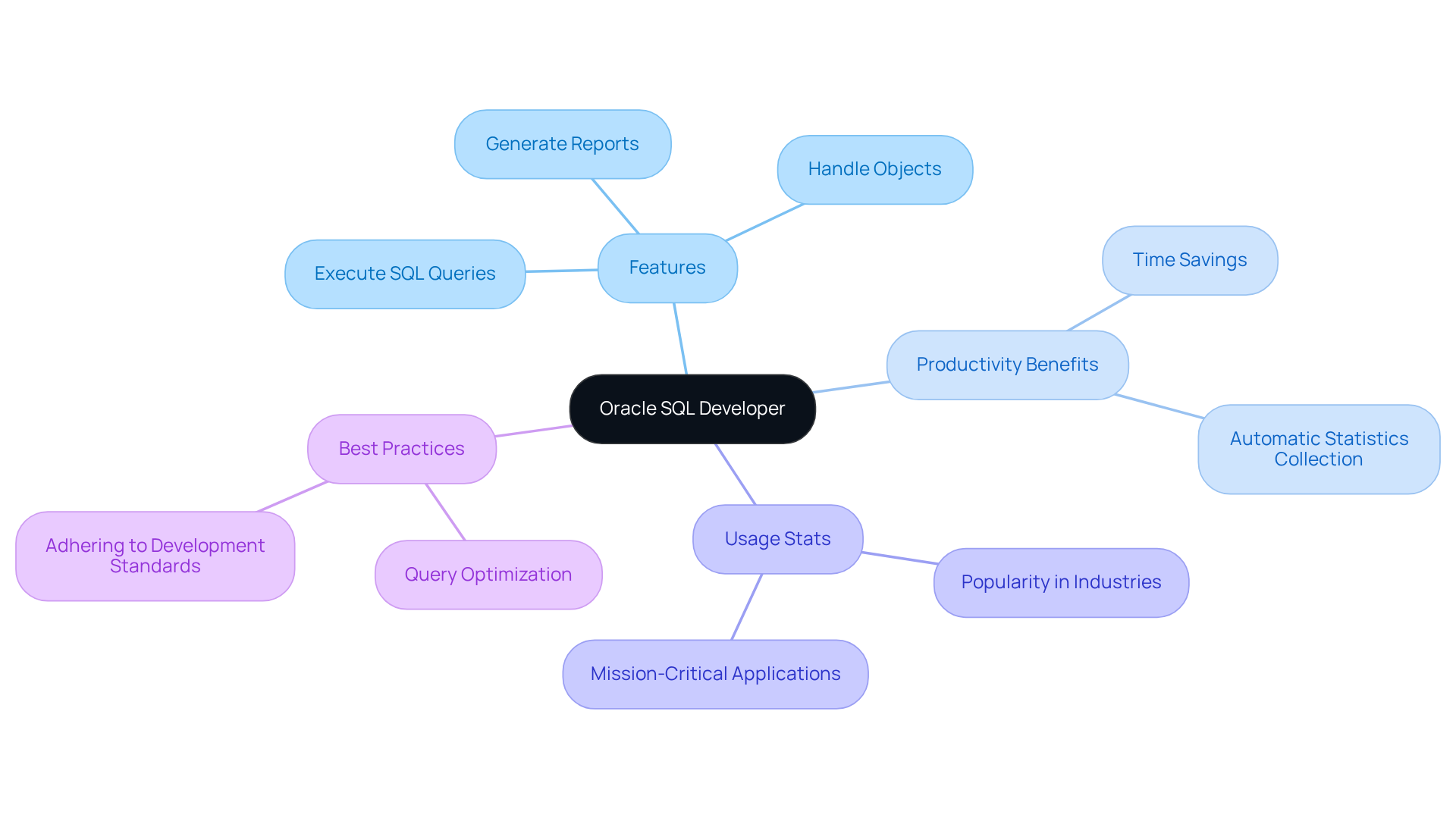
You might be wondering about the Oracle SQL Tool and what makes it such a standout choice for interacting with data systems. Well, let me tell you, it’s a powerful, free integrated development environment (IDE) that really simplifies management tasks. With this tool, you can execute SQL queries, handle objects, and whip up insightful reports without breaking a sweat. Mastering SQL tools is super important because it not only boosts your productivity but also provides an intuitive interface to access crucial data, including . And trust me, knowing this stuff is key for ensuring compatibility, troubleshooting issues, and keeping your database up-to-date with the latest features and security enhancements.
Now, let’s talk about the productivity perks of using SQL tools. Organizations that have embraced these tools often report significant time savings when executing complex queries and generating reports. This means teams can shift their focus from routine tasks to more strategic initiatives. Plus, there’s this nifty that runs during maintenance periods, which really helps improve performance by ensuring that data storage operates at its best. As Jeremiah Peschka puts it, "This gives the people who know the data best, the DBAs, a chance to schedule statistics collection whenever it’s needed and whenever it won’t cause problems for production workloads." It’s a great example of how SQL tools can streamline data management with timely updates.
Current usage stats show that the Oracle SQL Application is a favorite across various industries, especially in mission-critical applications where is a must. By getting to grips with SQL tools, organizations can seriously enhance their data management processes, leading to better operational efficiency and less downtime. And let’s not forget about ! This is crucial for building efficient, scalable, and maintainable database applications. It really highlights the importance of SQL professionals in achieving these goals. Remember, the principle that 'the quickest SQL is the SQL that is not executed' underscores the need for query optimization, which is a vital part of using SQL tools effectively.
Follow Steps to Check Oracle Version in SQL Developer
You might be wondering . It’s pretty straightforward! Just follow these steps:
- Launch : First things first, open the application on your computer.
- Connect to the Data Store: Next, enter your - your username and password - to get connected.
- Access the Help Menu: Once you’re in, head over to the top menu bar and click on 'Help'.
- Select 'About': From the dropdown, choose 'About'. This will pop up a new window showing you the version info.
- Review the : In that 'About' window, you’ll see the listed, along with some other details about your SQL application installation.
Now, if you’re more of a SQL query person, there’s another way to learn . Just open a new and run this command: SELECT * FROM v$version;. This will give you all the juicy details about your Oracle .
Using SQL tools for version checks is a smart move! It makes the process easier and ensures you have the most accurate info. Interestingly, . This highlights how important it is to stay aware of your current version for effective information system management. Organizations that leverage SQL tools to manage their connections often see improved and quicker troubleshooting times. So, why not give it a try?

Troubleshoot Common Issues When Finding Oracle Version
When you're trying to understand , you might run into a few common hiccups. No worries! Here are some friendly to help you out:
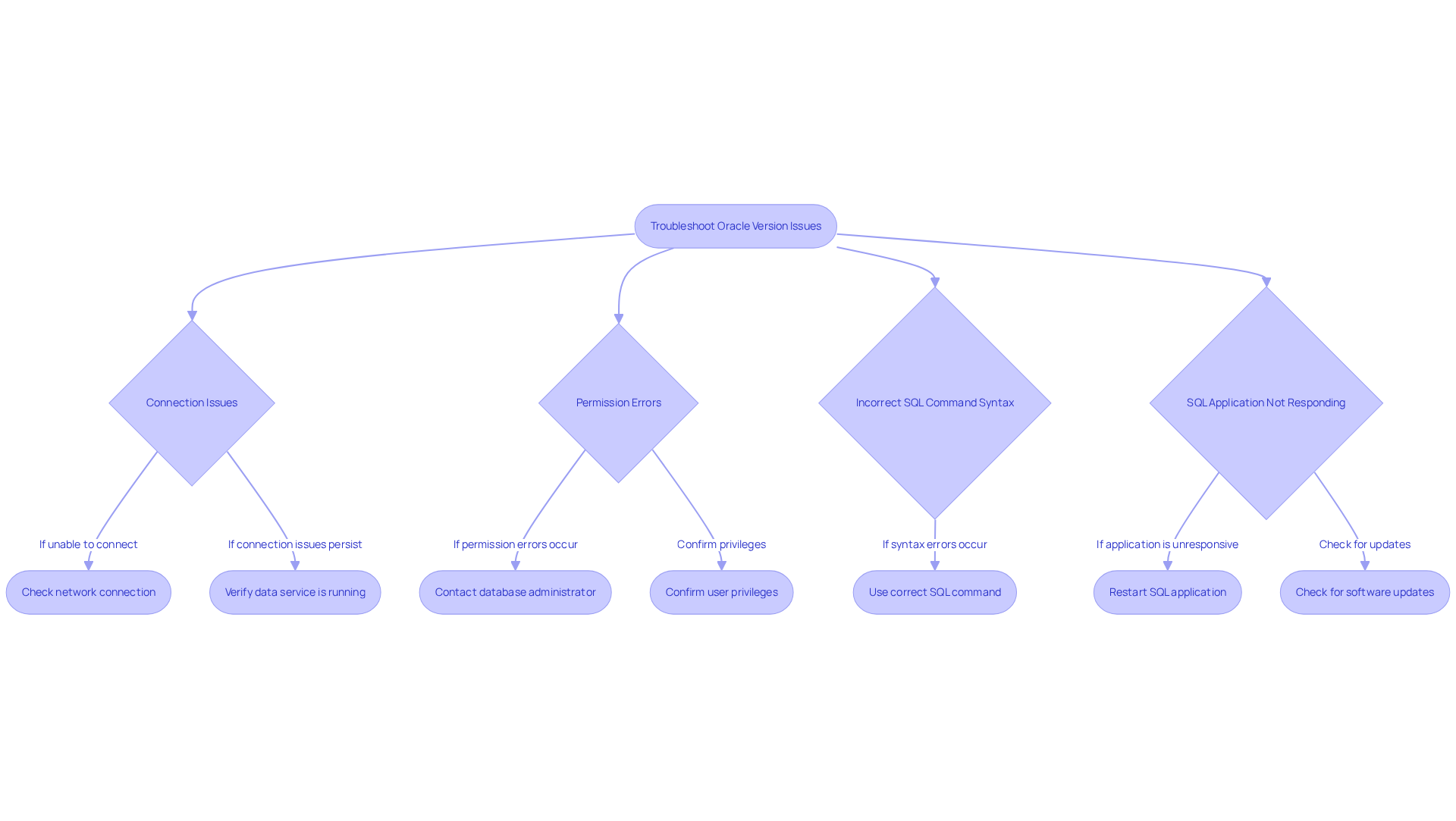
- : First things first, double-check that you’ve entered the right info for your system. If you can’t connect, take a moment to check your and make sure the data service is up and running. Did you know that network-related issues can account for up to 70% of performance problems? So, tackling connectivity is super important!
- Permission Errors: Now, if you’re hitting , it’s time to chat with your . They can confirm whether your user account has the necessary privileges to access version info. This step is crucial since many users find that inadequate permissions are the root of their troubles.
- Incorrect : You might be wondering if your is on point. To understand , make sure you’re using the command
SELECT * FROM v$version;. Syntax errors can be a real pain and might keep you from getting the info you need. - : If your SQL Application decides to crash or just won’t respond, try restarting the application or even your computer. Also, check that you’re using the latest version of your SQL tools - can lead to all sorts of performance issues and connection failures. Regular updates can really boost stability and functionality.
By following these , you can tackle those pesky connection problems in SQL Developer and also understand how to find oracle version in sql developer for a smoother experience!
Explore Additional Tools and Resources for Documentation
You might be wondering how to take your documentation and database management experience to the next level, right? Well, there are several tools out there that can really help you out, beyond just SQL Developer. Let’s dive into a few of them!
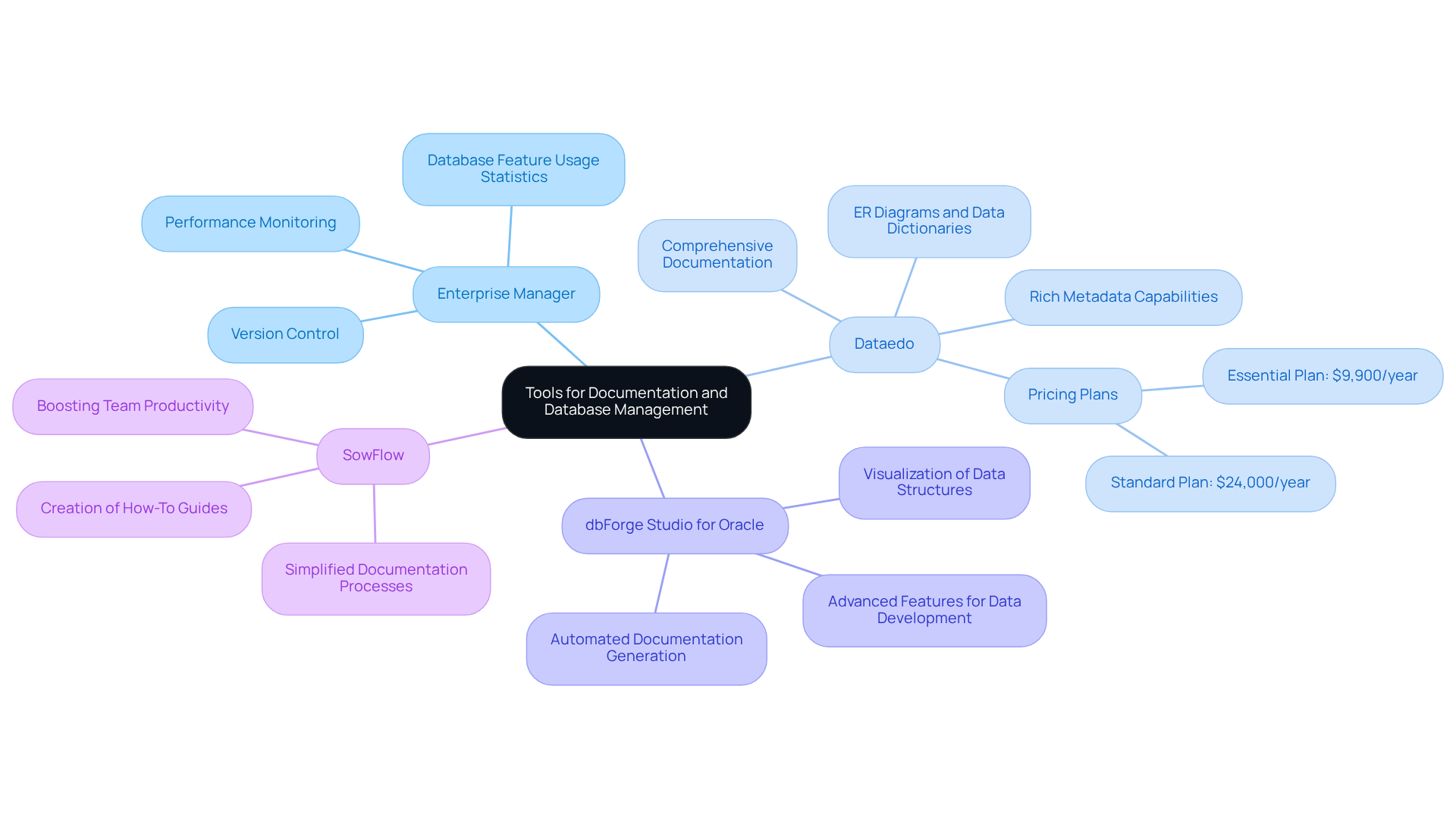
First up, we have Enterprise Manager. This extensive tool offers a robust interface for keeping an eye on your data systems. It’s all about . Imagine having detailed stats on how your data features are being used - pretty handy for application development and auditing! A case study even shows that provides valuable insights into , which is crucial for effective management.
Next, let’s talk about Dataedo. This tool is well-known for . It supports ER diagrams and data dictionaries, making it easier to understand your . Sure, it might have a bit of a learning curve, especially for larger organizations, but its rich metadata capabilities are worth it. As someone once said, "A well-documented collection of information enhances understanding, promotes collaboration, and ensures that business logic aligns with data structure."
Then there’s dbForge Studio for Oracle. This powerful IDE is packed with advanced features for data development and management. Think version control and automated documentation generation. It helps you visualize and relationships, making it a breeze to manage complex information environments.
And don’t forget about ! This tool can really simplify your documentation processes. It ensures that all your data information is organized and easily accessible. With , teams can create and , boosting overall productivity. An evaluation even highlighted that across teams.
So, these tools can significantly enhance your ability to manage and document database systems effectively. They ensure clarity and collaboration across teams. Plus, if you compare and SQL Developer, you might uncover even more insights into their strengths and weaknesses, helping operations managers make informed decisions. What do you think? Ready to explore these options?
Conclusion
You might be wondering how to find the Oracle version in SQL Developer, right? Well, understanding this is super important for managing your database effectively. This guide highlights not just the version checks but also how these SQL tools can boost your productivity and make your operations run smoother. By getting the hang of these tools, you can keep your systems compatible and up-to-date, which is crucial for security and performance.
Now, let’s dive into the nitty-gritty! The article lays out a straightforward, step-by-step process for checking the Oracle version. It covers everything from launching the SQL Tool and connecting to your data store to accessing the version info through the Help menu or SQL commands. Plus, it tackles some common hiccups you might face, like connection errors and permission issues, and offers handy troubleshooting tips to make your experience a breeze.
In conclusion, embracing SQL Developer and other documentation tools can really up your data management game. Not only do these resources enhance understanding and teamwork, but they also lead to more efficient database operations. So, why not actively engage with the tools and practices we discussed? By doing so, you’ll be setting your organization up for success in all your data management adventures!
Frequently Asked Questions
What is Oracle SQL Developer?
Oracle SQL Developer is a powerful, free integrated development environment (IDE) that simplifies management tasks for interacting with data systems. It allows users to execute SQL queries, manage objects, and create reports easily.
Why is mastering SQL tools important?
Mastering SQL tools is crucial because it boosts productivity and provides an intuitive interface for accessing essential data. It also helps ensure compatibility, troubleshoot issues, and keep databases up-to-date with the latest features and security enhancements.
How do SQL tools improve productivity in organizations?
SQL tools can lead to significant time savings when executing complex queries and generating reports, allowing teams to focus on more strategic initiatives rather than routine tasks.
What is the automatic statistics collection task in Oracle SQL Developer?
The automatic statistics collection task runs during maintenance periods to improve performance by ensuring that data storage operates optimally. It allows database administrators (DBAs) to schedule statistics collection when it won't affect production workloads.
In which industries is Oracle SQL Developer commonly used?
Oracle SQL Developer is widely used across various industries, particularly in mission-critical applications where efficient data handling is essential.
What are the benefits of following SQL development best practices?
Following SQL development best practices is vital for building efficient, scalable, and maintainable database applications. It emphasizes the importance of SQL professionals in achieving operational efficiency and reducing downtime.
What does the principle "the quickest SQL is the SQL that is not executed" mean?
This principle highlights the need for query optimization, indicating that minimizing the execution of SQL queries can lead to better performance and efficiency when using SQL tools.
👍
What others are liking


5 Steps to outline your ideal documentation structure
5 MINS READ
Where to start the your journey of mapping out your ideal documentation structure, aligning it with the very heartbeat of your organization?
Defining a winning level of detail in your process
3 MINS READ
What is too much detail, and what is too little? This article described in that winning level detail about what detail is enough.


