

Knowledge Management through Documentation
|
April 29, 2026
|

Best Technical Documentation Tools for Operations Managers: A Comparison
Key Highlights
- Technical documentation tools streamline the creation and management of essential documents like user guides and SOPs.
- Key features of documentation tools include templates, collaboration tools, version control, and software integration.
- Ease of use is crucial for productivity, allowing teams to focus on their tasks rather than struggling with complex software.
- Collaboration features enable real-time editing, enhancing the quality of documentation through team input.
- Integration capabilities ensure smooth workflows by allowing tools to work with existing software systems.
- Customization options help tailor documentation to meet specific organisational needs.
- Cost-effectiveness is important to fit budget constraints while still providing necessary features.
- Access to support and training resources maximises the potential of documentation tools.
- SowFlow is user-friendly and excels in process mapping, boosting operational efficiency.
- Document360 is strong in version control and collaboration, leading to higher user satisfaction.
- Confluence offers versatile integration and customization but may have a steeper learning curve.
- Key aspects for aligning documentation tools with operations management include process standardisation, accessibility, scalability, real-time updates, and effective training.
Introduction
In the fast-paced world of operations management, you might be wondering how the ability to efficiently document processes can really impact your team's productivity. The right technical documentation tools can do wonders, streamlining the creation of essential materials like user guides and standard operating procedures. Plus, they enhance collaboration and keep information fresh and up-to-date.
But with so many options out there, how do you figure out which tools will actually elevate your documentation game? This article dives into a comparative analysis of the best technical documentation tools, exploring their unique features and benefits. By the end, you'll be equipped to make informed decisions that align perfectly with your operational needs. So, let’s get started!
Understanding Technical Documentation Tools
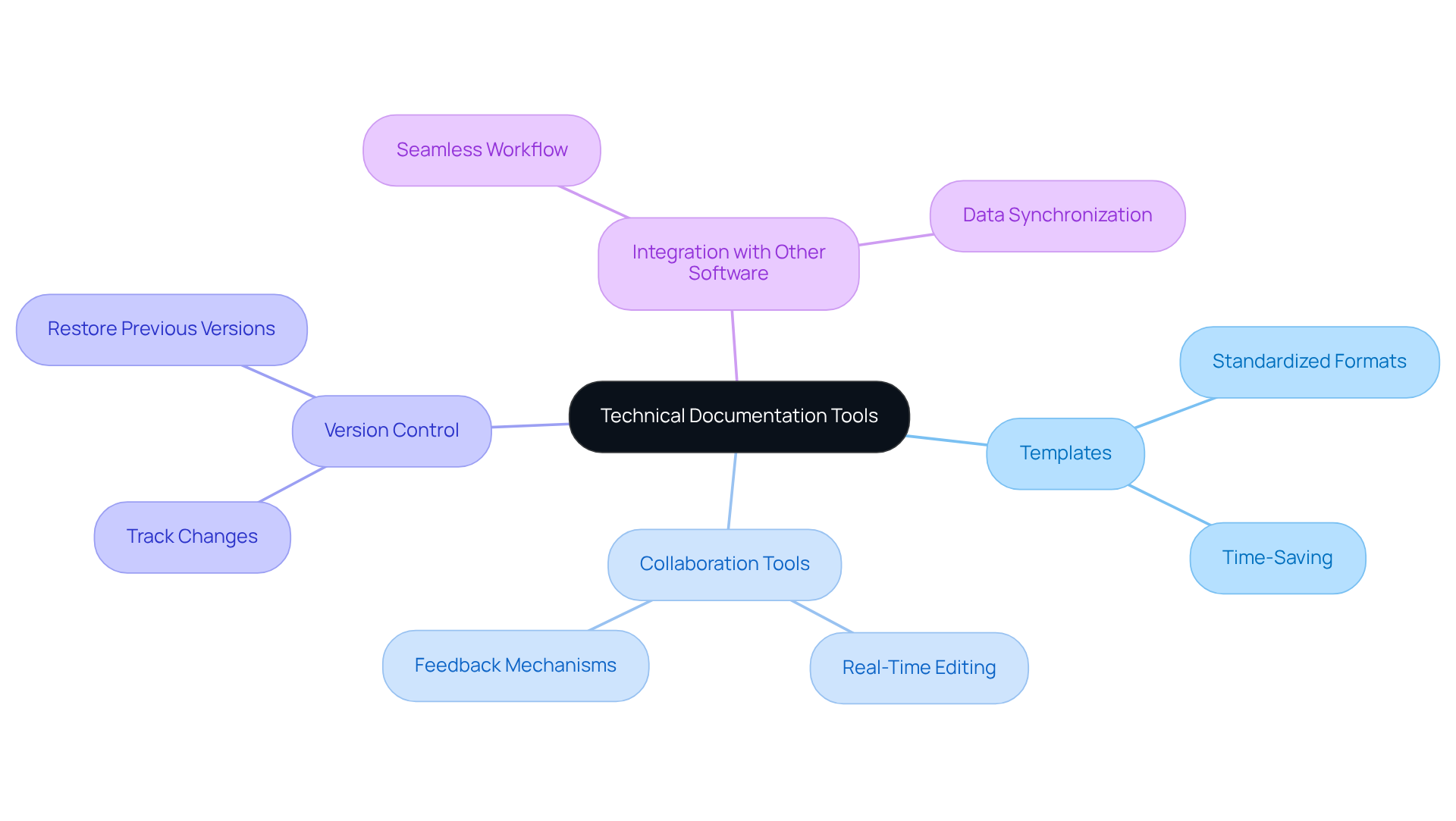
You might be wondering how the best can truly assist with the nitty-gritty of developing, managing, and releasing technical materials. Well, these handy tools are designed to make your life easier by . Imagine whipping up , , and other without breaking a sweat!
These applications often come packed with features like:
- Templates
- Version control
- Integration with other software systems
Sounds pretty great, right? Understanding how to leverage these resources is crucial for operations managers like you, who need to ensure that your teams can effectively and keep information up to date.
So, why not take a closer look at how the can enhance your documentation game? You’ll find that with the right software, you can not only simplify your workflow but also . Now, let’s dive into some of the specific benefits these applications offer!
Comparison Criteria for Selecting Documentation Tools
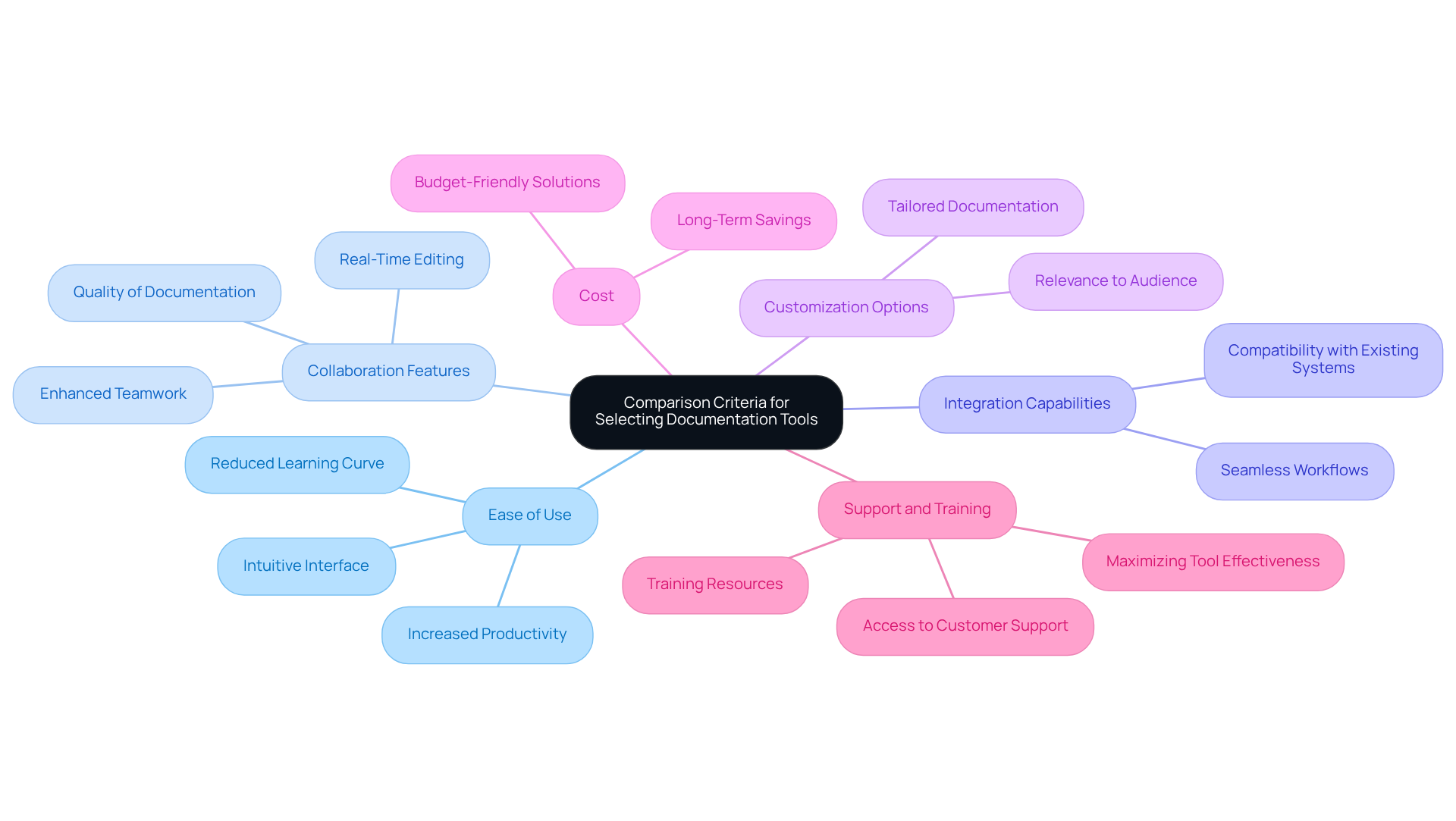
When you're on the hunt for a , there are a few key things you really want to keep in mind:
- : You might be wondering why this matters so much. Well, an intuitive interface is a game-changer! It cuts down on the learning curve and makes it easier for everyone to jump in and start using the tool. When tools are user-friendly, productivity can really take off, letting your team focus on what they do best instead of wrestling with complicated software.
- : Have you ever tried to work on a document with a team, only to find everyone’s editing at different times? Frustrating, right? That’s why you want tools that let multiple users edit files simultaneously. This way, everyone can share their insights in real-time, which really boosts the quality of your documentation.
- : Now, let’s dive into something crucial: integration. You want a tool that plays nice with your existing software systems. This keeps your workflows smooth and lets your team use what they already have without needing a major overhaul.
- : Flexibility is key! To fit your organization’s unique needs, you might want to use the best s to tailor your documentation. can make your resources more relevant and user-friendly, ensuring they hit the mark for your audience.
- Cost: Let’s talk dollars and cents. It’s super important to look at the to make sure it fits your budget while still offering the features you need. A cost-effective solution can lead to some serious savings, especially when you think about the efficiency gains.
- : Finally, don’t overlook the importance of . Access to solid resources can really help you get the most out of your tool. Look for options that offer ongoing support to help your team tackle challenges and fully leverage the software’s capabilities.
Side-by-Side Analysis of Leading Technical Documentation Tools
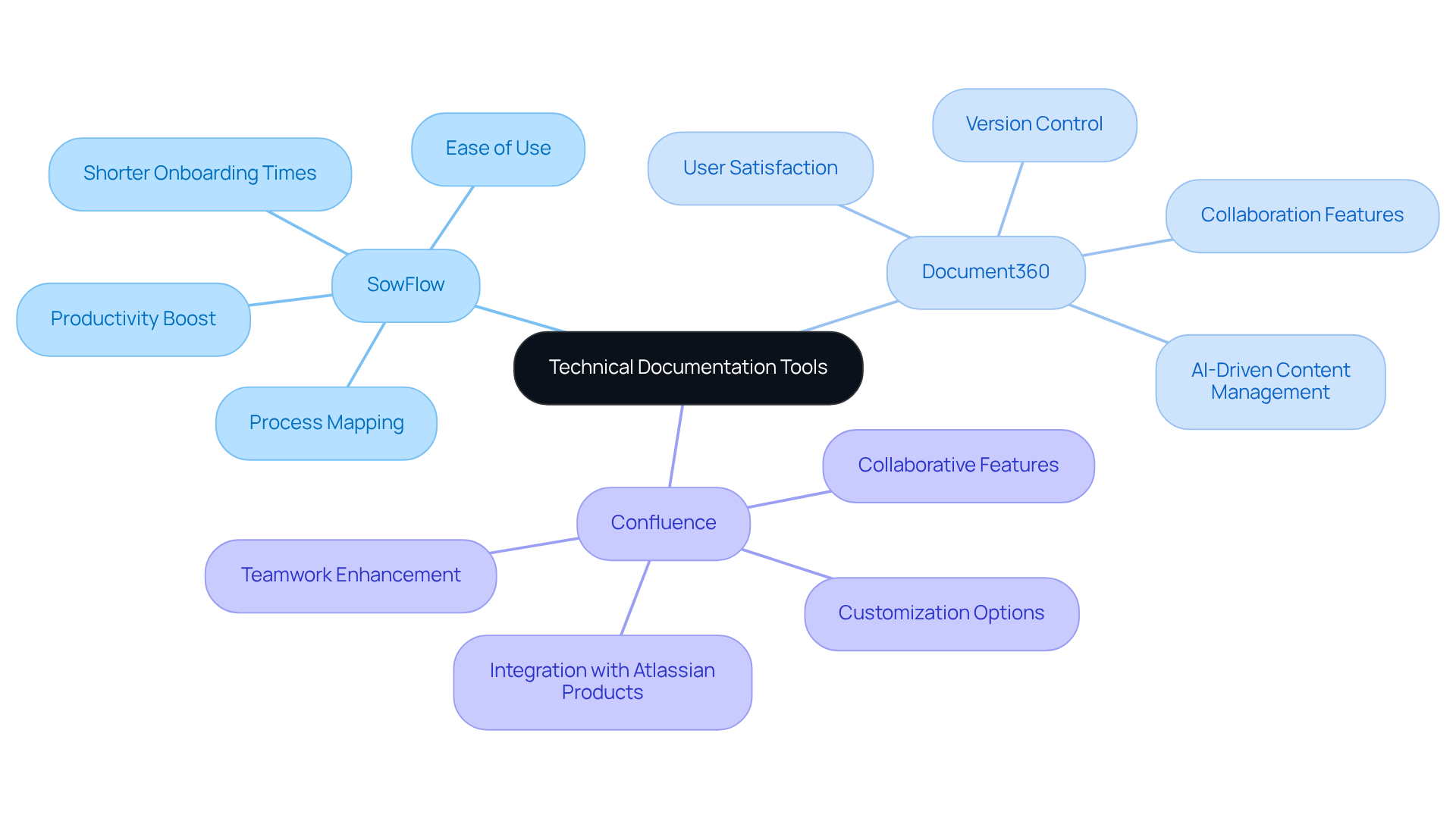
Let’s take a moment to compare three of the , which are SowFlow, Document360, and Confluence. You might be wondering which one is right for you, so let’s break it down together.
- SowFlow: This tool is all about ease of use. With its intuitive interface and handy Chrome extension, you can right from your browser. It really shines in process mapping and keeping your records up to date. If your organization is all about , SowFlow could be a game-changer. Users have shared that they’ve seen a boost in productivity and shorter onboarding times, all thanks to how effortlessly it simplifies record-keeping.
- Document360: Now, if you need something that excels in version control and collaboration, Document360 might just be your best bet. It’s perfect for teams that require thorough record management. With its AI-driven features, creating and organizing content becomes a breeze. Case studies show that organizations using Document360 often report higher user satisfaction and better adoption rates, largely due to its robust support resources.
- Confluence: Last but not least, we have Confluence. This versatile platform integrates smoothly with other Atlassian products and is loved for its collaborative features and customization options. However, it might take a bit more time to get the hang of compared to SowFlow. If your organization thrives on collaboration, you’ll likely find that Confluence significantly enhances teamwork-80% of teams have noted improved cooperation thanks to well-maintained records.
So, each of these tools has its unique strengths. The really depend on what your organization needs and how you work together. Why not explore these options further and see which one fits your style?
Aligning Documentation Tools with Operations Management Needs
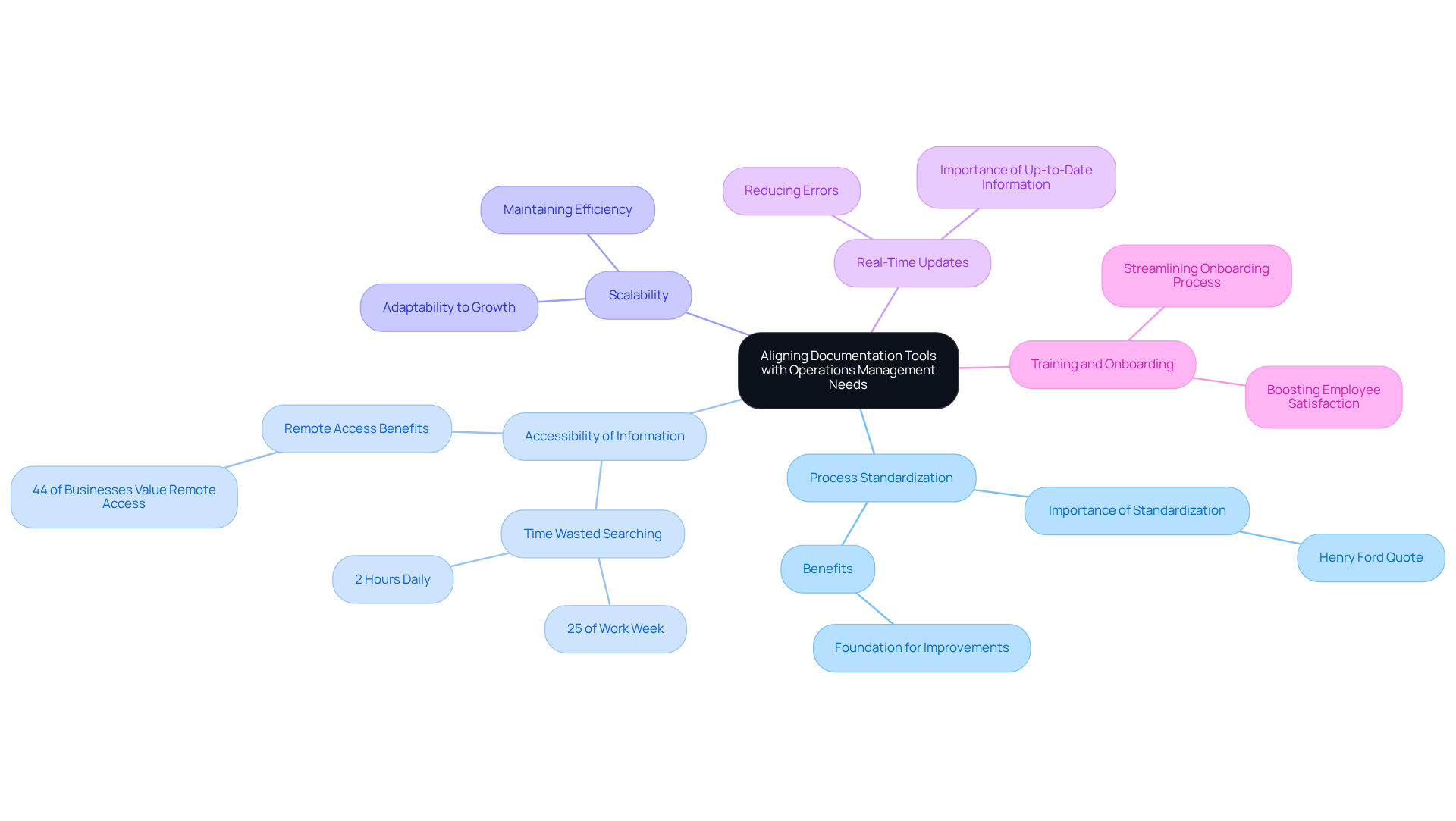
To effectively align documentation tools with your operations management needs, let’s consider a few key aspects:
- Process Standardization: You might be wondering how to create consistency in your operations. Tools like SowFlow can help you establish , which are essential for keeping everything running smoothly. Remember what Henry Ford said? He noted that 'today’s standardization is the necessary foundation on which tomorrow’s improvements will be based.' It’s all about .
- Accessibility of Information: Have you ever spent way too much time searching for files? Statistics show that ! It’s crucial that the best allow all team members to easily . Plus, 44% of businesses highlight the ability to share, edit, and access files remotely as a major perk of going digital.
- Scalability: As your organization grows, so do your record-keeping needs. You want tools that can scale up without losing performance. This adaptability is key to .
- Real-Time Updates: Imagine the chaos if everyone’s working with outdated information! That’s why . They ensure that all team members are on the same page, reducing the risk of errors and keeping everything precise.
- : You know how overwhelming it can be for new hires to get up to speed. Using the best can really , providing them with the materials they need to hit the ground running. This not only boosts employee satisfaction but also enhances overall productivity.
By focusing on these aspects, you can choose tools that not only meet your current needs but also support future growth. So, let’s dive into finding the right solutions that will lead to improved operational efficiency!
Conclusion
You might be wondering how to pick the right technical documentation tools for your operations management. Well, let me tell you, choosing the right tools can really boost your efficiency and effectiveness! By getting to know the unique features and benefits of different options, you can streamline your documentation processes, improve team collaboration, and make sure that vital information is always accessible and up-to-date.
In this article, we’ve covered some essential criteria for evaluating documentation tools. Think about:
- Ease of use
- Collaboration features
- Integration capabilities
- Customization options
- Cost considerations
- The importance of support and training
We also took a closer look at leading tools like SowFlow, Document360, and Confluence, showing how each one caters to different organizational needs - from user-friendly interfaces to robust version control and collaboration capabilities.
Ultimately, the choice of documentation tools should really align with what your organization needs to enhance operational efficiency. As businesses keep evolving, leveraging the right technical documentation tools can make workflows smoother and empower your teams to focus on what they do best. Embracing these tools can lead to improved productivity, better onboarding experiences, and a more streamlined approach to managing documentation in operations management. So, why not explore these options further and see how they can work for you?
Frequently Asked Questions
What are technical documentation tools?
Technical documentation tools are applications designed to assist in developing, managing, and releasing technical materials such as user guides and standard operating procedures (SOPs).
How can technical documentation tools help streamline the documentation process?
They simplify the paperwork process, allowing users to create essential documents efficiently and effectively.
What features are commonly found in technical documentation tools?
Common features include templates, collaboration tools, version control, and integration with other software systems.
Why is it important for operations managers to understand technical documentation tools?
It is crucial for operations managers to leverage these tools to ensure their teams can effectively document processes and keep information up to date.
How do technical documentation tools enhance team collaboration?
The right software can simplify workflows and improve collaboration within teams, making it easier to work together on documentation tasks.
👍
What others are liking


5 Steps to outline your ideal documentation structure
5 MINS READ
Where to start the your journey of mapping out your ideal documentation structure, aligning it with the very heartbeat of your organization?
Defining a winning level of detail in your process
3 MINS READ
What is too much detail, and what is too little? This article described in that winning level detail about what detail is enough.


