


Key Highlights:
- Training documentation software is essential for creating, managing, and sharing educational materials and SOPs.
- Effective documentation can streamline onboarding, enhance knowledge retention, and reduce repetitive training time.
- Organisations with strong training programmes can achieve 218% higher income per employee.
- 22% of workers leave jobs within the first 90 days, often due to inadequate training.
- 60% of new hires who quit cite lack of training or disorganised training as reasons.
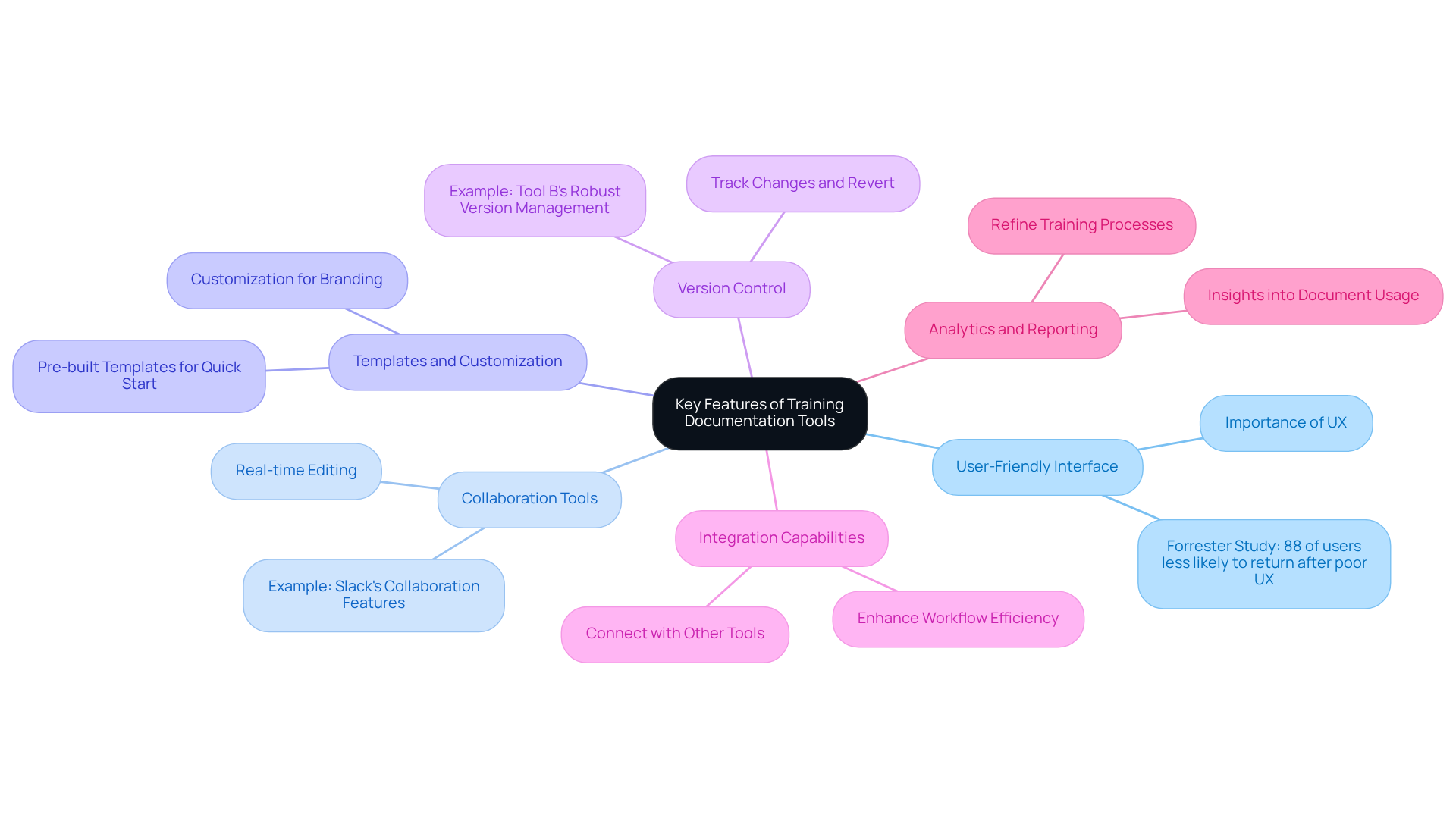
- Key features of training documentation software include user-friendly interface, collaboration tools, templates, version control, integration capabilities, and analytics.
- A user-friendly design is crucial for user retention; 88% of users avoid sites after poor experiences.
- Collaboration tools improve teamwork and productivity in document management.
- Templates expedite document creation, while customization aligns records with organisational branding.
- Version control allows tracking changes and maintaining document integrity.
- Integration capabilities enhance workflow efficiency by connecting with other tools.
- Analytics provide insights into document usage, aiding in training process refinement.
- Comparative analysis of top tools highlights strengths and weaknesses, helping teams choose the best fit.
- Operations managers can overcome onboarding challenges and improve efficiency using training documentation software.
Introduction
You might be wondering why effective onboarding and training processes are so crucial for your organization’s success. Well, many operations managers are stuck grappling with outdated methods that really put a damper on productivity. That’s where training documentation software comes into play! It’s a game-changer, offering tools that not only make it easier to create and manage educational materials but also boost employee engagement and retention.
But here’s the kicker: with so many options out there, how do you figure out which software is the right fit for your unique needs? And how can you tackle the challenges of disorganized training? This article is here to help! We’ll dive into the essential features and provide some comparative insights on the top training documentation tools. By the end, you’ll be equipped to make informed decisions that could really transform your onboarding experience.
Understanding Training Documentation Software
You might be wondering just how important documentation software is for instruction, right? Well, it plays a crucial role in creating, managing, and sharing educational materials and standard operating procedures (SOPs). These tools empower organizations to document workflows, processes, and best practices systematically, making sure everyone on the team has quick access to essential info.
By using such software, operations managers can really streamline onboarding processes, boost knowledge retention, and cut down on the time spent on repetitive training sessions. For instance, businesses with extensive development programs see a whopping 218% higher income per employee! That’s a clear financial perk of having effective instructional materials. And here’s a thought: did you know that 22% of workers leave a job within the first 90 days? This highlights just how critical effective onboarding processes are.
Now, consider this: 60% of new hires who quit within the first three months say it’s due to lack of training or disorganized training. That’s a big deal! It really emphasizes the consequences of inadequate onboarding. So, what are the key features of training document software? Think templates, collaboration tools, and version control; these are vital for keeping training document software fresh and relevant.
Speaking of that, the integration of these tools not only makes onboarding smoother but also nurtures a culture of continuous learning and improvement. As organizations start to recognize the importance of organized educational records, they can expect to see enhanced employee involvement and retention. In fact, 94% of workers say they’d stick around longer at companies that invest in their career growth through educational software.
And here’s a fun fact: cognitive science tells us that people learn better in short, focused bursts rather than long, drawn-out sessions. This really drives home the point about the power of organized instructional materials. It’s clear that efficient instructional materials can have a transformative effect on both personal and organizational success.

Key Features of Top Training Documentation Tools
When you're looking at training documentation software, there are a few key features that can really amp up your effectiveness:
-
User-Friendly Interface: You might be wondering why a simple and intuitive design matters. Well, it’s crucial! A user-friendly interface lets you create and manage documentation without needing a PhD in tech. Research from Forrester shows that 88% of users are less likely to return to a site after a poor experience. So, a seamless interface? Definitely a must-have!
-
Collaboration Tools: Ever tried working on a document with a team and found it a hassle? Features that let multiple users collaborate in real-time can really boost teamwork and make record-keeping a breeze. Just think about tools like Slack - those collaboration features can simplify team interactions and ramp up productivity.
-
Templates and Customization: Pre-built templates are like a head start, right? They help you get going quickly, while customization options let you tailor things to fit your organization’s branding and needs. This flexibility is key to making sure your records align with your company’s standards.
-
Version Control: You know how sometimes you wish you could just hit rewind? Version control lets you track changes and revert to earlier versions, keeping your records intact. Tool B is a great example, offering solid version management that’s perfect for organizations with complex record-keeping needs.
-
Integration Capabilities: Imagine being able to connect your documentation software with other tools, like project management software. That’s what integration capabilities do - they enhance workflow efficiency and can save you tons of time on documentation tasks.
-
Analytics and Reporting: Want to know how effective your documents are? Tools that provide insights into document usage can help you refine your training processes. By understanding how your documentation is being used, you can make smarter decisions to improve your training strategies.
So, as you explore your options, keep these features in mind. They can make a world of difference in how you manage your training documentation!
Comparative Analysis of the Top 7 Training Documentation Tools
You might be wondering which tool is the best fit for your team, right? Let’s break it down together!
Tool A: It’s got a user-friendly interface and fantastic collaboration features that really boost group productivity. But, on the flip side, its limited customization options might not work for everyone’s unique workflows.
Tool B: Now, this one shines with strong integration capabilities and robust analytics for tracking performance. Just keep in mind, the steeper learning curve could slow down how quickly your team gets on board.
Tool C: If you’re looking for speed, Tool C has an extensive template library that makes creating materials a breeze, plus great customer support for any hiccups. However, its higher cost might be a bit much for smaller organizations.
Tool D: Here’s a winner for version control! Tool D guarantees document precision and is super easy for everyone to use. The downside? It lacks sophisticated reporting capabilities, which might limit your insights into how documents are being used.
Tool E: This one’s highly customizable, perfect for larger groups with diverse needs. But, be careful - it can feel overwhelming for smaller teams because of all its features.
Tool F: If you’re a startup, Tool F offers an affordable pricing structure that’s great for establishing documentation processes. Just remember, it has limited features compared to its competitors, which might restrict functionality.
Tool G: Last but not least, Tool G comes with comprehensive training resources and a strong community to support you. The catch? It can be a bit slow with large documents, which might slow down your workflow.
This comparative analysis gives you a clear overview of each tool's strengths and weaknesses, helping you pinpoint the best fit for your specific needs. So, which one are you leaning towards?

Suitability for Operations Managers: Addressing Key Challenges
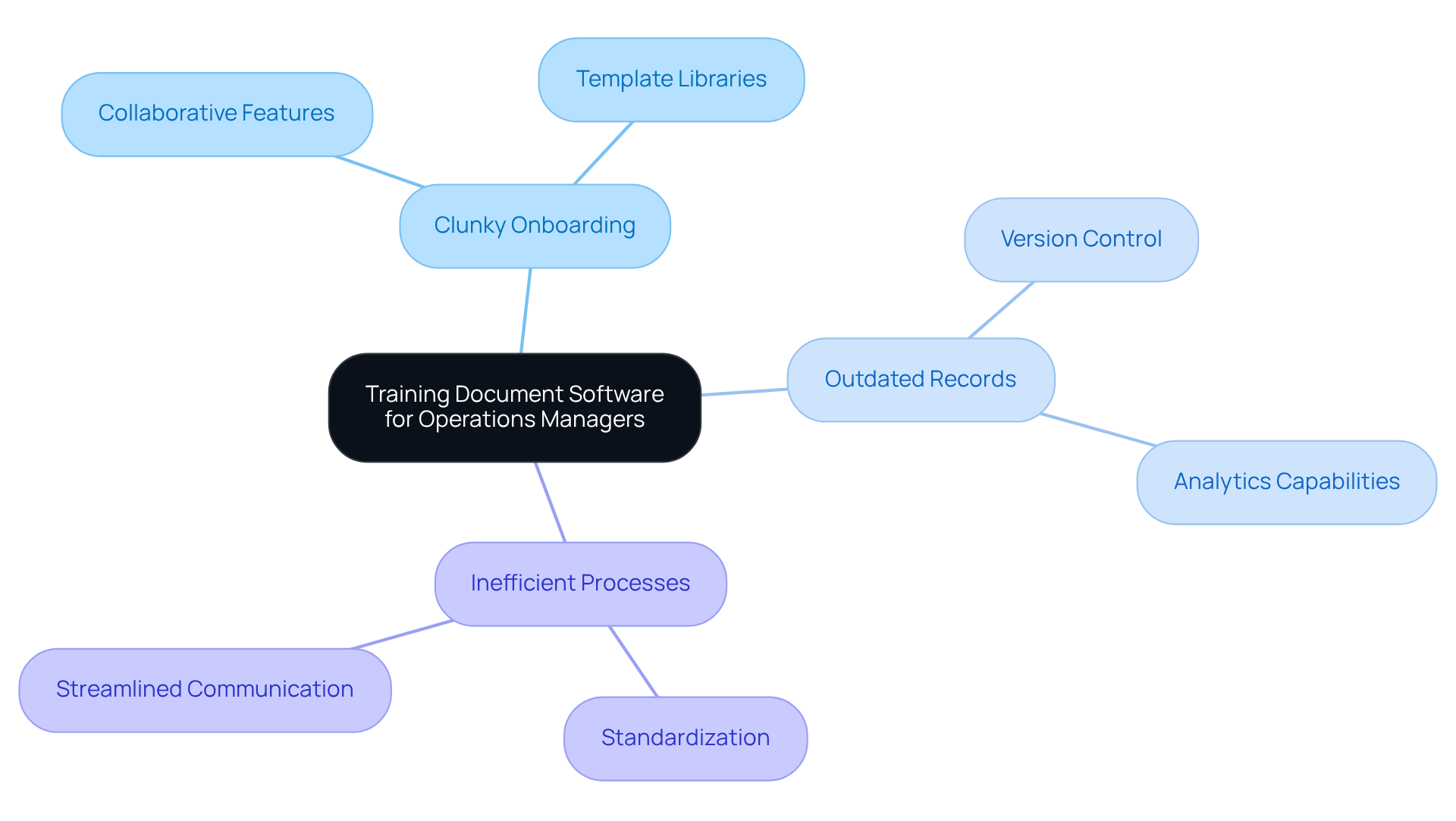
You might be wondering why operations managers often hit roadblocks like clunky onboarding processes or struggles with keeping records up-to-date. Well, let’s talk about how training document software can really step in to save the day! These tools can make onboarding a breeze by streamlining everything. For example, think about those collaborative features that let new hires access materials created by their teammates. This not only shortens onboarding time but also helps build a sense of community right from the start.
Now, let’s dive into the analytics capabilities of some of these tools. They can help managers spot gaps in training materials, making sure that everything stays relevant and fresh. Plus, extensive template libraries can standardize processes across teams, which is a win for consistency and clarity. And don’t forget about version control features! They ensure everyone’s on the same page with the latest info, cutting down on confusion and errors.
By leveraging training document software, operations managers can make smart decisions that boost their team’s efficiency and effectiveness. This, in turn, leads to happier employees who stick around longer. So, if you’re facing similar challenges, why not explore these solutions? You might just find the perfect fit for your team!
Conclusion
You might be wondering why training documentation software is such a big deal for operations managers. Well, it’s pretty simple: these tools can really amp up your onboarding processes and boost team efficiency. They make it easier to create and manage educational materials, and they help build a culture of continuous learning. When you implement the right documentation solutions, you can cut down on employee turnover and improve knowledge retention, which ultimately leads to better financial performance.
Throughout this article, we’ve highlighted some key features of effective training documentation software. Think user-friendly interfaces, collaboration tools, and robust analytics. Each of the seven tools we analyzed has its own unique strengths and weaknesses, catering to different organizational needs. From user experience to customization options, the insights we provided give you a clear framework to find the best fit for your team.
Now, let’s wrap this up. Investing in the right training documentation software isn’t just a choice; it’s a strategic move that can really transform the onboarding experience and empower your employees for success. As operations managers, you’re constantly facing challenges in keeping workflows efficient. Embracing these tools can lead to significant improvements in employee satisfaction and overall organizational performance. The right software can truly be a game-changer, ensuring your teams are well-equipped to thrive in today’s fast-paced work environment.
Frequently Asked Questions
What is the importance of training documentation software?
Training documentation software is crucial for creating, managing, and sharing educational materials and standard operating procedures (SOPs). It helps organizations document workflows and processes systematically, ensuring quick access to essential information for all team members.
How does training documentation software impact onboarding processes?
It streamlines onboarding processes, boosts knowledge retention, and reduces the time spent on repetitive training sessions, ultimately leading to more effective training outcomes.
What financial benefits can organizations expect from effective training documentation?
Organizations with extensive development programs can see a 218% higher income per employee, highlighting the financial advantages of having effective instructional materials.
What percentage of workers leave a job within the first 90 days, and why is this significant?
22% of workers leave a job within the first 90 days, which underscores the importance of effective onboarding processes to retain new hires.
What are the consequences of inadequate training during onboarding?
60% of new hires who quit within the first three months cite lack of training or disorganized training as reasons for their departure, emphasizing the need for structured onboarding.
What key features should training documentation software have?
Key features include templates, collaboration tools, and version control, which are essential for keeping training documentation current and relevant.
How does training documentation software contribute to a culture of continuous learning?
By integrating these tools, organizations can foster a culture of continuous learning and improvement, enhancing employee engagement and retention.
What percentage of workers are likely to stay longer at companies that invest in their career growth?
94% of workers say they would remain longer at companies that invest in their career growth through educational software.
What does cognitive science suggest about how people learn best?
Cognitive science indicates that people learn better in short, focused bursts rather than in long, drawn-out sessions, which highlights the value of organized instructional materials.
What overall impact can effective instructional materials have on organizations?
Efficient instructional materials can transform both personal and organizational success by improving training effectiveness and employee retention.
👍
What others are liking


5 Steps to outline your ideal documentation structure
5 MINS READ
Where to start the your journey of mapping out your ideal documentation structure, aligning it with the very heartbeat of your organization?
Defining a winning level of detail in your process
3 MINS READ
What is too much detail, and what is too little? This article described in that winning level detail about what detail is enough.


