


Key Highlights
- User manuals serve as essential resources for safely and efficiently operating products or services.
- Engaging with users through surveys helps identify their needs and expectations for manuals.
- Clearly defined objectives can reduce customer support inquiries by up to 30%.
- Clarity and organisation in manuals significantly enhance user confidence and satisfaction.
- Visual aids like diagrams and screenshots improve understanding and retention of information.
- Different types of user manuals include installation, operation, troubleshooting, maintenance, and training guides, each serving unique purposes.
- Effective installation guides can reduce support calls by 50% and increase client satisfaction by 75%.
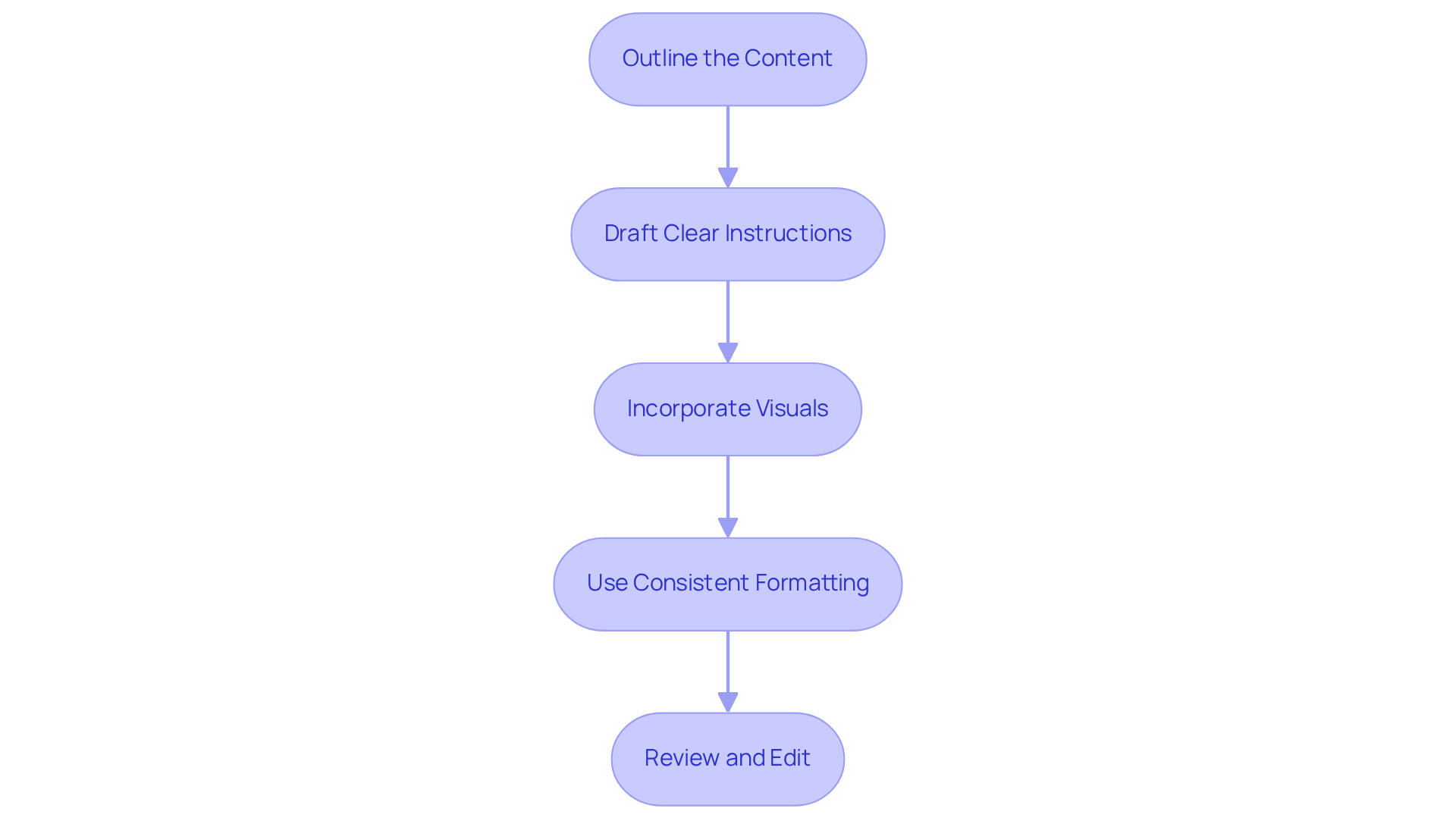
- A step-by-step framework for writing includes outlining content, drafting clear instructions, incorporating visuals, maintaining consistent formatting, and reviewing/editing.
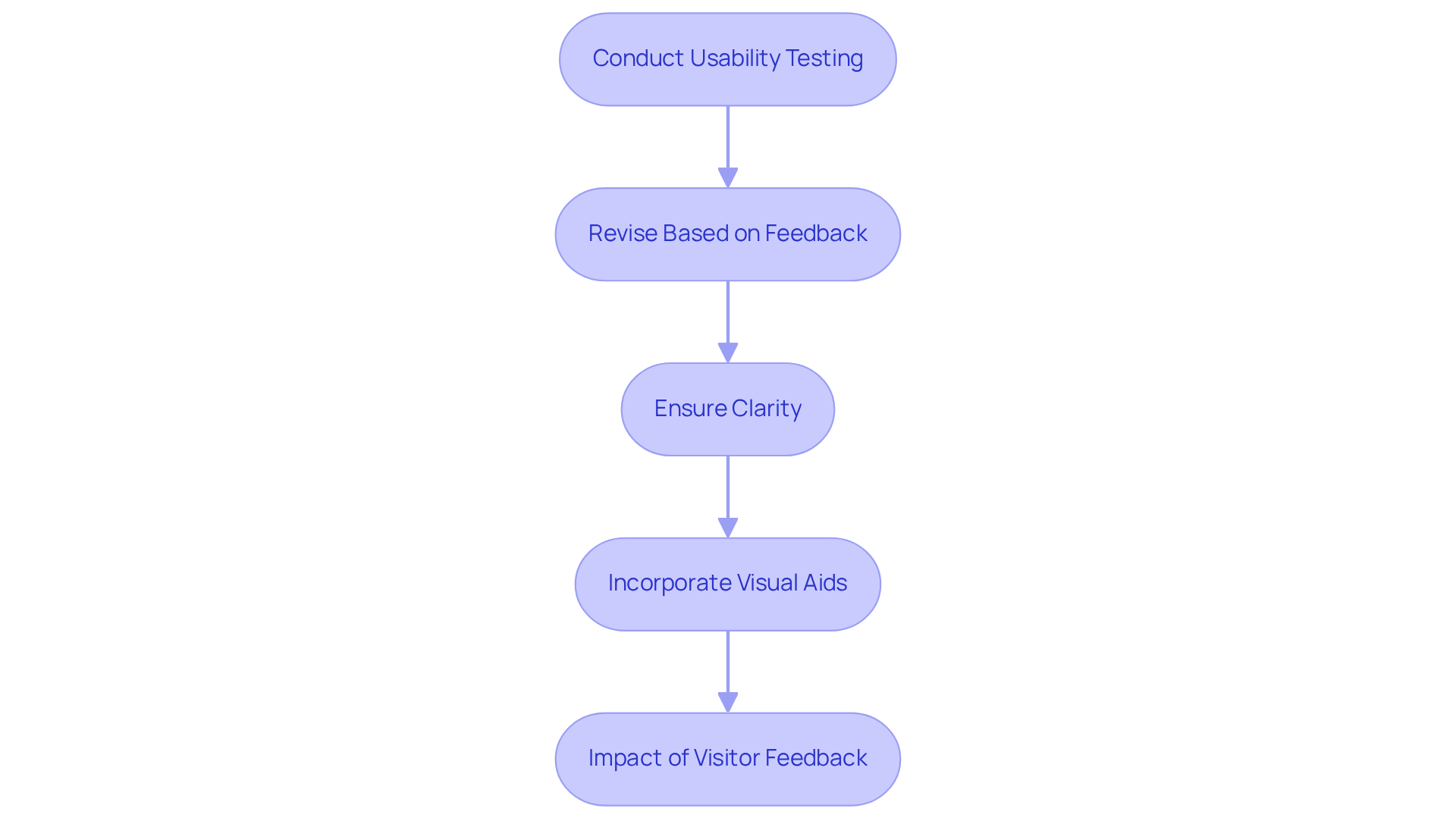
- Usability testing and feedback are crucial for revising manuals to ensure clarity and effectiveness.
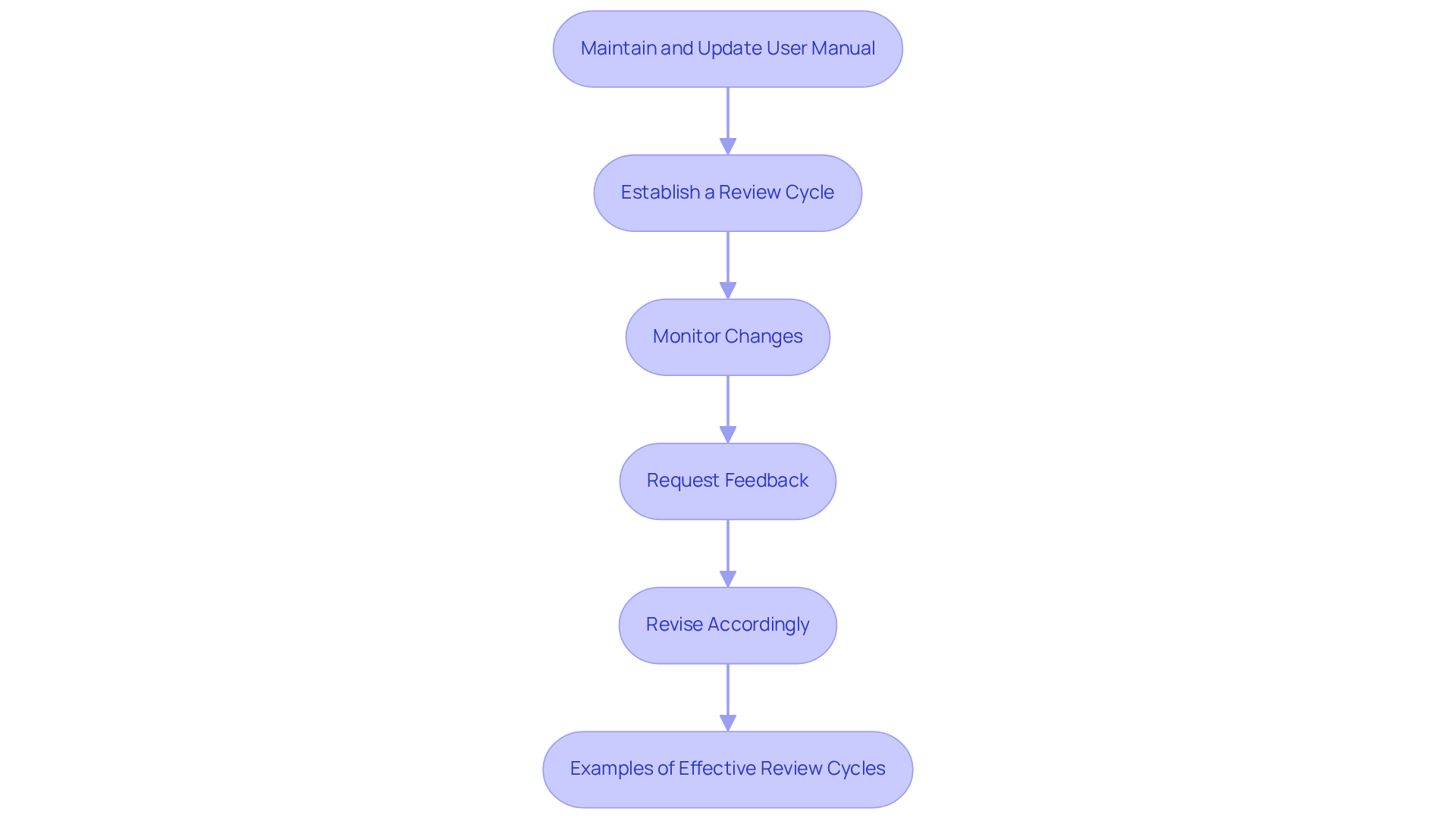
- Regular maintenance and updates of user manuals are essential for keeping content relevant and aligned with user needs.
Introduction
Crafting an effective user manual isn’t just a technical necessity; it’s a key part of making sure users have a great experience and feel satisfied. You might be wondering, as organizations work hard to meet the rising expectations of consumers who want quick and clear solutions, how can we create manuals that not only inform but also engage?
Well, that’s the challenge! Navigating the complexities of user manual creation can feel daunting, but it’s all about making sure it resonates with users and truly addresses their needs. So, how do we tackle this? Let’s dive into some ideas that can help you create manuals that not only get the job done but also connect with your audience.
Understand the Purpose of a User Manual
To effectively define user manual, you really need to understand its primary purpose: it serves as a comprehensive resource that helps individuals operate a product or service safely and efficiently. A well-designed guide tackles common questions, offers troubleshooting tips, and ultimately enhances the overall experience. So, let’s dive into some key considerations:
- Identify User Needs: You might be wondering how to get started. Engaging with users through surveys or interviews can provide valuable insights into what they expect from the manual. Understanding client requirements is crucial; in 2025, a whopping 90% of consumers expect quick responses to their inquiries. That’s why it’s vital for guides to offer speedy solutions. With SowFlow's instant documentation solution, organizations can create guides that meet these expectations effortlessly.
- Define Objectives: What are you hoping to achieve with your guide? Clearly outlining its goals-like reducing customer support inquiries or boosting satisfaction-can make a big difference. Statistics show that companies with efficient guides can cut support inquiries by as much as 30%, freeing up resources for more complex issues. With SowFlow, you can streamline this process, ensuring your documentation always aligns with your objectives.
- Focus on Clarity: You want your guide to be straightforward and easy to navigate, right? This way, individuals can find information quickly. A usability specialist once said, 'a well-organized guide can greatly boost confidence in individuals and lessen irritation.' And it’s true! Clients are five times more likely to buy again after receiving exceptional customer service, which highlights the importance of clarity in manuals. SowFlow helps improve clarity in guide creation, making it easier for individuals to access the information they need.
- Incorporate Visuals: Ever thought about how visuals can make a difference? Using diagrams, screenshots, and flowcharts can really help illustrate complex processes. Visual aids enhance understanding and memory, making it simpler for individuals to follow instructions. SowFlow makes it easy to integrate visuals into your documentation, boosting comprehension and engagement.
- Iterate Based on Feedback: Don’t forget to regularly revise your guide based on customer feedback and evolving product features. Ongoing enhancement ensures that your guide remains relevant and effective in meeting individuals' needs. With SowFlow, refreshing your documentation is a breeze, allowing you to keep your guides up to date and efficient.
By focusing on these components and leveraging SowFlow's features, organizations can define user manual guides that not only serve their intended purpose but also foster a positive experience for individuals. This ultimately leads to fewer support inquiries and greater customer satisfaction. Plus, companies that excel at personalization can see revenue growth of 10-15%, which really underscores the importance of understanding customer needs.

Identify Different Types of User Manuals
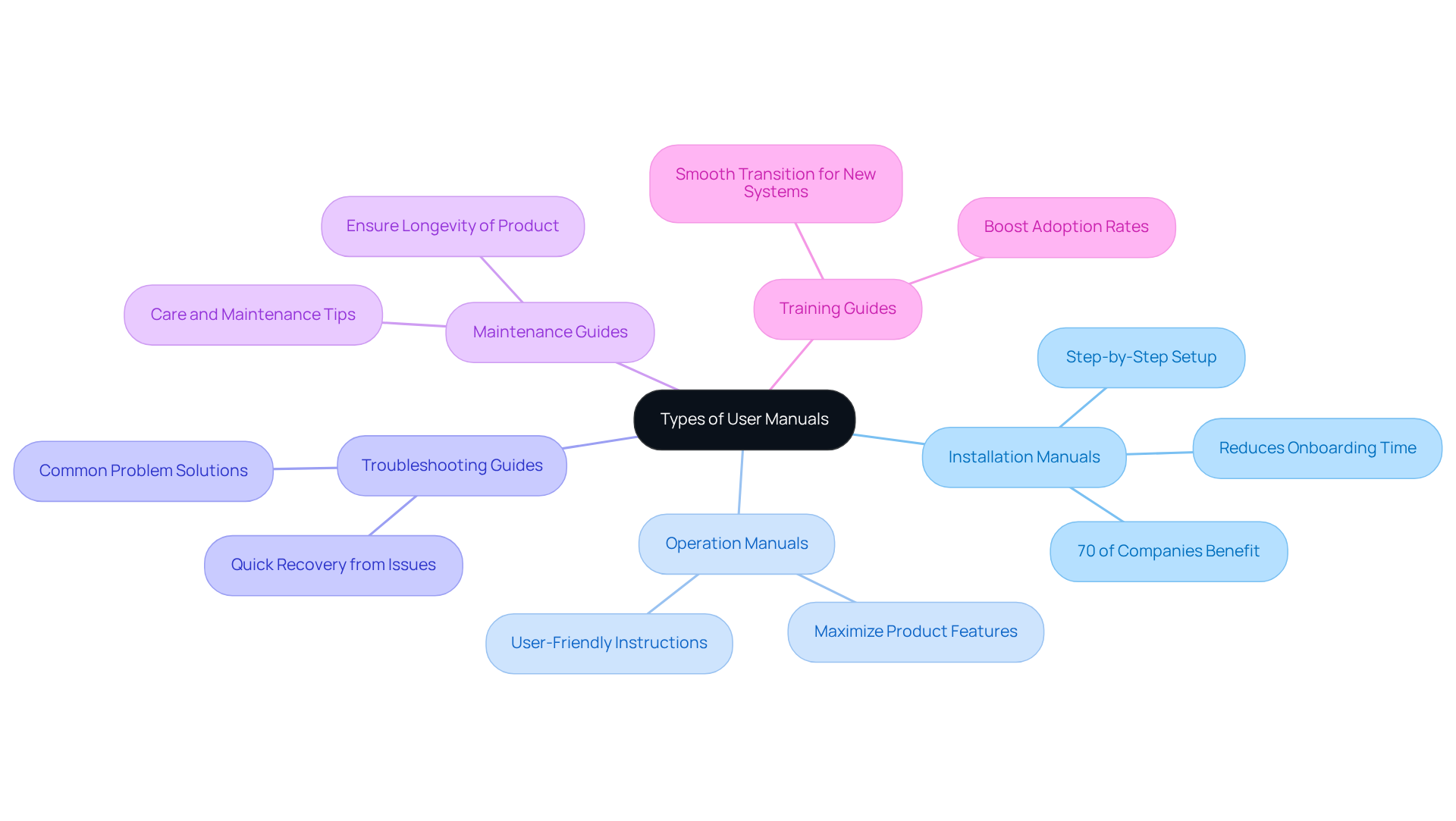
User manuals come in various types, each designed to make your life easier and boost how well things run:
- Installation Manuals: Ever tried setting up a new gadget without a guide? These manuals walk you through the setup step-by-step, so you can dive right in without any head-scratching moments. In fact, about 70% of companies say that clear installation manuals help to define user manual and cut down onboarding time significantly for new folks.
- Operation Manuals: Once you’ve got your product up and running, these documents show you how to make the most of it. They cover all the features and functionalities, helping you get the best bang for your buck.
- Troubleshooting Guides: We’ve all faced those pesky issues that pop up out of nowhere. These guides offer solutions to common problems, helping you get back on track without the hassle.
- Maintenance Guides: Want your product to last? These documents explain how to care for and maintain it, ensuring it performs at its best for years to come.
- Training Guides: If you’re onboarding new systems or processes, these guides are your best friend. They help smooth out transitions and boost adoption rates, making everything feel a bit easier.
Now, let’s talk about why it is important to define user manual installation guides, as they are so crucial. They lay the foundation for a smooth onboarding experience. Experts say that a well-organized installation guide can cut support calls by 50%, allowing teams to focus on more strategic tasks. And once you’re past the installation phase, operation guides help you really understand your product, ensuring you’re using all the features to their fullest.
Take software companies, for example. Those with effective installation guides have seen a whopping 75% increase in client satisfaction and engagement. By understanding these different types of guides, organizations can tailor their documentation to enhance client experience and operational efficiency. So, what’s your documentation strategy looking like?
Follow a Step-by-Step Framework for Writing
Are you looking to define a user manual with SowFlow? Let’s break it down together!
- Outline the Content: Start by creating a detailed outline that covers all sections and subsections of your guide. This foundational step is key to keeping things organized and easy to navigate. You might be wondering how to get started-just jot down the main topics and subtopics you want to cover!
- Draft Clear Instructions: When it comes to writing instructions, keep it simple and concise. Use bullet points and numbered lists to make things crystal clear. Remember what Syed Haroon Shah said: "User manuals must be written as a procedure, not as a paragraph." This really highlights the importance of clarity in procedural writing. With SowFlow, you can streamline this process and tap into the wisdom of your documentation with just one command.
- Incorporate Visuals: Don’t forget to add some visuals! Diagrams, screenshots, or images can really boost understanding and engagement. Research shows that people tend to remember information better when it’s presented visually. For example, pictorial instructions can clarify complex processes and improve recall. Plus, did you know that users complete tasks 67% more successfully when instructions include visuals? And well-designed visuals can cut learning time by up to 40% while enhancing comprehension.
- Use Consistent Formatting: Consistency is key! Make sure your guide has a uniform style, including consistent fonts, headings, and colors. This not only helps with readability but also gives your manual a professional touch. With SowFlow’s features, you can easily keep everything updated and consistent across your materials.
- Review and Edit: Finally, take the time to review and edit your draft. This step is crucial for ensuring clarity, accuracy, and completeness. You want to make sure all the information is relevant and up-to-date, which ultimately enhances the user experience. With SowFlow, updating and revising your documentation is a breeze, keeping it relevant in our ever-changing business landscape.
So, are you ready to dive into creating your define user manual with SowFlow? Let’s make it engaging and effective!
Test and Revise for Clarity and Usability
Once you’ve drafted the manual, it’s super important to define the user manual for clarity and usability. Here’s how you can do that:
- Conduct Usability Testing: Why not get some real users involved? Let them follow the manual while tackling tasks. Watching how they interact can give you some great insights into any bumps they hit along the way. This helps you understand what your clients really need.
- Revise Based on Feedback: After testing, take a good look at the feedback. Focus on the areas where users struggled or seemed unsure. This way, you can define the user manual to better align with their expectations.
- Ensure Clarity: Got some complex instructions? Time to simplify! Clear up any confusing language. The goal here is to create a guide that’s intuitive and easy to navigate, making it a breeze for everyone.
- [Incorporate Visual Aids](https://uxcam.com/blog/ux-statistics): If users are scratching their heads over certain sections, think about adding more visuals or examples. Research shows that good visual aids can really boost understanding, especially for those tricky concepts.
- Impact of Visitor Feedback: Did you know that 88% of people are less likely to return to a site after a bad experience? That’s why it’s crucial to take visitor feedback seriously when making revisions. By prioritizing this feedback, you can really amp up the effectiveness of your documentation.
Maintain and Update Your User Manual Regularly
To keep your user manual effective over time, it’s super important to set up a regular maintenance schedule.
- Establish a Review Cycle: You might be wondering how often you should check in on your manual. Well, defining a timeline for reviews-like every quarter or biannually-can really help. This structured approach not only keeps your content relevant but also aligns with the best practices in documentation management.
- Monitor Changes: Have you ever noticed how quickly things can change? Actively tracking any modifications to your product or service is key. This way, your guide will always reflect the most up-to-date information available, which is a win-win for everyone.
- Request Feedback from Participants: Now, let’s talk about feedback. Encouraging people to share their experiences with the manual can be a game changer. Their insights might highlight areas that need updates or enhancements, making your documentation more user-centered.
- Revise Accordingly: So, what do you do with that feedback? Implement updates based on new information, client feedback, and any changes in processes. Regular updates are essential for keeping your manual a valuable resource that meets the evolving needs of users.
- Examples of Effective Review Cycles: Speaking of updates, companies that prioritize regular reviews-like those using a risk-based approach-often see significant boosts in client satisfaction and operational efficiency. For instance, organizations that clarify ownership and responsibilities for SOP management report better compliance and less confusion among users.
By sticking to these practices, you can really define the user manual's effectiveness. Ultimately, this leads to improved user experiences and operational success!
Conclusion
You might be wondering why defining an effective user manual is so crucial. Well, it’s all about enhancing your experience and making sure you can use products or services without a hitch. When organizations really get what a user manual is for and focus on what you, the user, need, they can whip up guides that not only tackle common questions but also offer troubleshooting help and boost your satisfaction.
Key insights from the article shine a light on how important it is to identify user needs through engagement. Setting clear goals for the manual, ensuring it’s easy to understand, adding visuals, and tweaking it based on feedback are all part of the game. Different types of user manuals - like installation, operation, troubleshooting, maintenance, and training guides - each have their own unique roles that can really ramp up efficiency and keep customers happy. Plus, sticking to a structured writing framework and regularly updating the manual keeps it fresh and effective.
Ultimately, putting time and resources into creating and maintaining a user manual isn’t just about handing out instructions; it’s about making your overall experience better. Organizations that focus on effective documentation can look forward to fewer support inquiries, happier clients, and improved operational results. By embracing these best practices, you’ll not only make the user experience smoother but also strengthen the organization’s reputation for quality and support. So, why not take a moment to think about how you can enhance your own documentation efforts?
Frequently Asked Questions
What is the primary purpose of a user manual?
The primary purpose of a user manual is to serve as a comprehensive resource that helps individuals operate a product or service safely and efficiently, addressing common questions and offering troubleshooting tips to enhance the overall experience.
How can organizations identify user needs for a manual?
Organizations can identify user needs by engaging with users through surveys or interviews to gain insights into their expectations for the manual, which is crucial for providing speedy solutions.
What objectives should be defined when creating a user manual?
Objectives should include clearly outlining goals such as reducing customer support inquiries or boosting satisfaction, as efficient guides can significantly cut support inquiries and free up resources for more complex issues.
Why is clarity important in a user manual?
Clarity is important because a straightforward and easy-to-navigate guide allows individuals to find information quickly, boosting their confidence and reducing frustration, which can lead to increased customer loyalty.
How can visuals enhance a user manual?
Visuals such as diagrams, screenshots, and flowcharts can illustrate complex processes, enhancing understanding and memory, making it easier for individuals to follow instructions.
Why is it important to iterate a user manual based on feedback?
Regularly revising the guide based on customer feedback and evolving product features ensures that the manual remains relevant and effective in meeting users' needs.
What are the different types of user manuals?
The different types of user manuals include Installation Manuals, Operation Manuals, Troubleshooting Guides, Maintenance Guides, and Training Guides, each designed to assist users in specific aspects of product usage.
How do installation manuals benefit users?
Installation manuals provide step-by-step guidance for setting up a product, significantly reducing onboarding time and support calls, which allows teams to focus on more strategic tasks.
What role do operation manuals play after installation?
Operation manuals help users understand all the features and functionalities of a product, ensuring they can maximize its use and benefits.
How do effective installation guides impact client satisfaction?
Companies with effective installation guides have seen a significant increase in client satisfaction and engagement, with reports of up to a 75% increase in these areas.
👍
What others are liking


5 Steps to outline your ideal documentation structure
5 MINS READ
Where to start the your journey of mapping out your ideal documentation structure, aligning it with the very heartbeat of your organization?
Defining a winning level of detail in your process
3 MINS READ
What is too much detail, and what is too little? This article described in that winning level detail about what detail is enough.


