
Integrating Documentation Tools
|
March 9, 2026
|

4 Best Practices for Using Your Manual Maker Effectively
Key Highlights:
- Template customization enhances efficiency and consistency in record-keeping.
- Multimedia integration, such as images and videos, increases user engagement in manuals.
- Version control is crucial for maintaining accurate and up-to-date documentation.
- Structured documentation involves outlining content with headings and a style guide for consistency.
- Incorporating interactive elements, like demos and quizzes, boosts user understanding and satisfaction.
- Regular maintenance of documentation, including scheduled reviews and feedback collection, ensures relevance and accuracy.
- Fortune 500 companies incur significant costs due to poor record-keeping, highlighting the need for organised documentation practises.
Introduction
In the world of documentation, you might be wondering how to really make the most of a manual maker. Well, let me tell you, tapping into its full potential can seriously boost the quality and efficiency of your records. By exploring some best practices, you can discover features that not only make the creation process smoother but also ramp up engagement and keep everything accurate. But with so many tools and techniques out there, how do you navigate the ins and outs of manual making to craft documentation that truly resonates and stays relevant?
Speaking of that, let’s dive into how you can tackle these challenges and elevate your documentation game!
Understand the Features of Your Manual Maker
You might be wondering how to really get the most out of your device. Well, let’s dive into some essential features that can make a big difference!
-
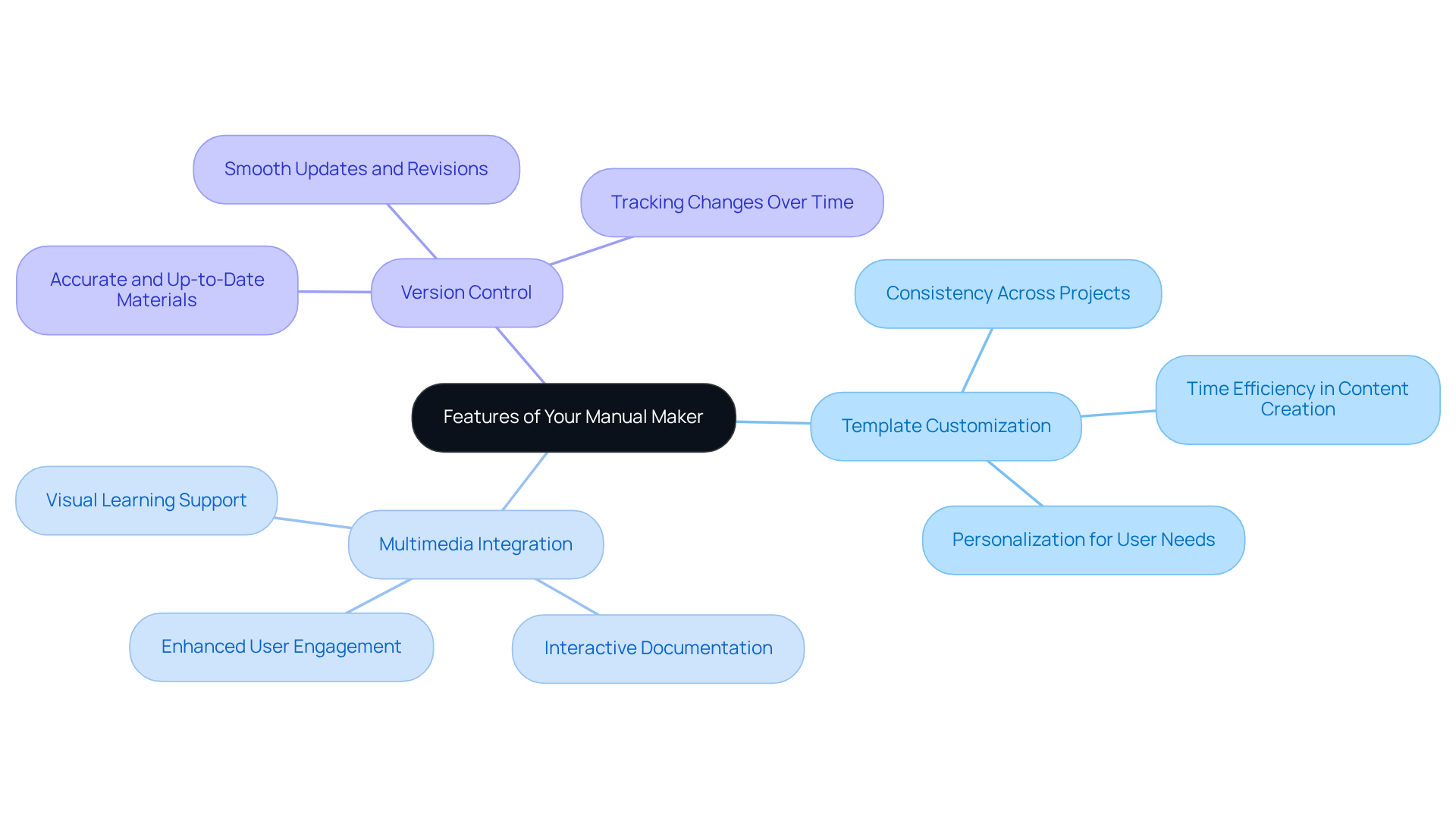
First up, template customization.
Custom templates not only make record-keeping a breeze but also ensure everything stays consistent across different projects. This can save you a ton of time when creating them. In fact, organizations that personalize their templates often find they can whip up content faster and work more efficiently. -
Now, let’s talk about multimedia integration.
Adding images and videos can really spice things up and boost user engagement, turning your guides into something interactive and informative. -
And don’t forget about version control!
It’s super important for keeping your materials accurate and up-to-date, making updates and revisions a smooth process.
By getting familiar with these features, you’ll be on your way to becoming a proficient manual maker, crafting comprehensive manuals that meet your organization’s needs and ramp up productivity. So, what are you waiting for? Let’s explore these tools together!
Create Structured and Consistent Documentation
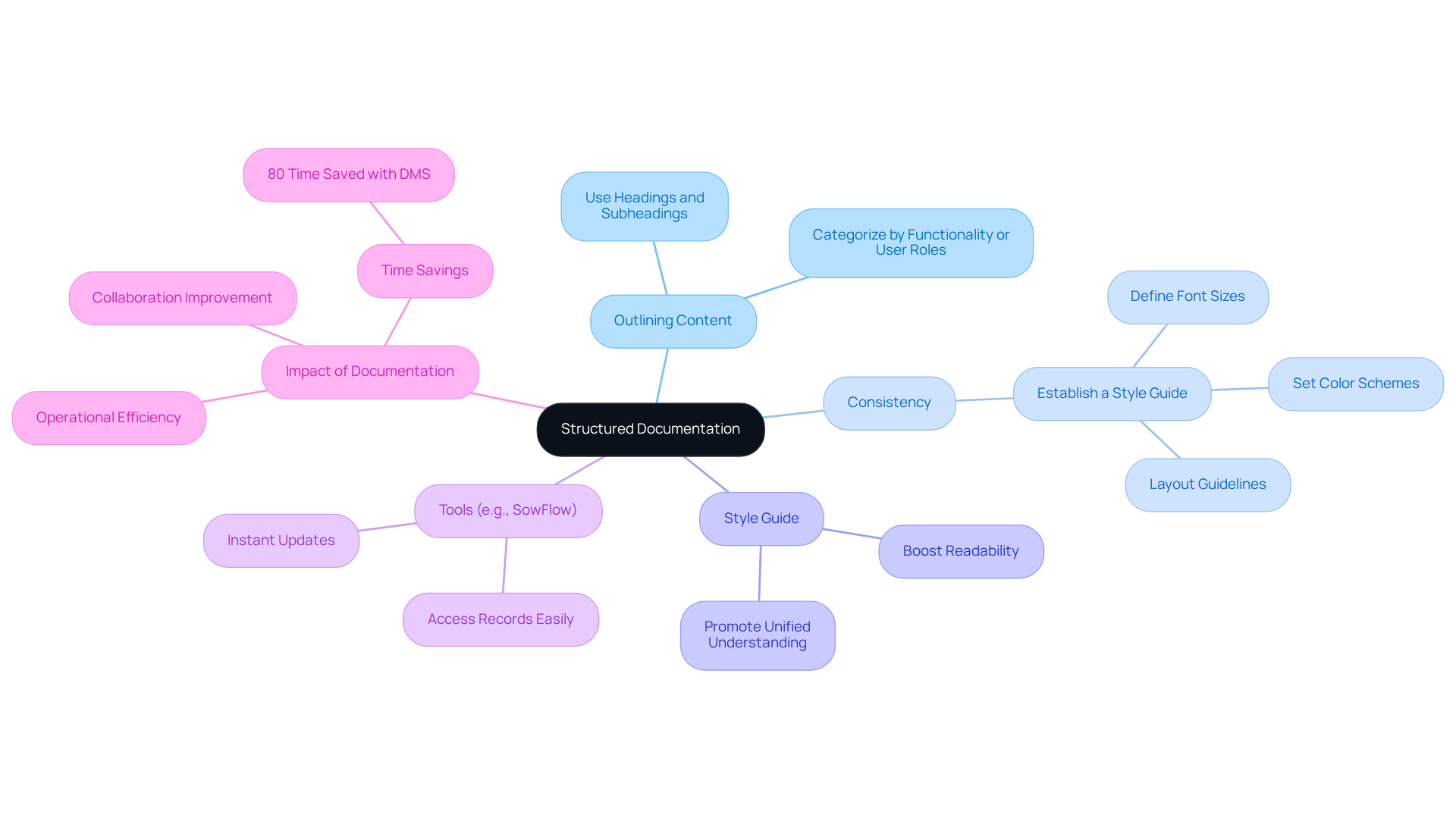
To create organized and uniform records, you might be wondering where to start. Well, it all begins with outlining your content before you jump into writing. Using headings and subheadings can really help break down information into bite-sized sections. For instance, if you’re documenting a software process, think about categorizing sections by functionality or user roles.
Now, let’s talk about consistency. It’s key! Establishing a style guide that covers font sizes, colors, and layout not only boosts readability but also ensures everyone on your team is on the same page. This way, you promote a unified understanding of the materials. Speaking of that, have you heard about SowFlow? It makes accessing your records a breeze, allowing for instant updates that keep your materials fresh in our fast-paced business world.
As Brett Shavers puts it, 'if you didn’t record it, it didn’t happen.' This really highlights how crucial record-keeping is for operational efficiency. Organizations that prioritize regular record-keeping often see better collaboration and less uncertainty among team members. In fact, studies show that a typical company can save up to 80% of the time spent on hands-on file sharing by using document management systems like SowFlow. That’s a pretty compelling reason to get organized!
Incorporate Interactive Elements for Enhanced Engagement
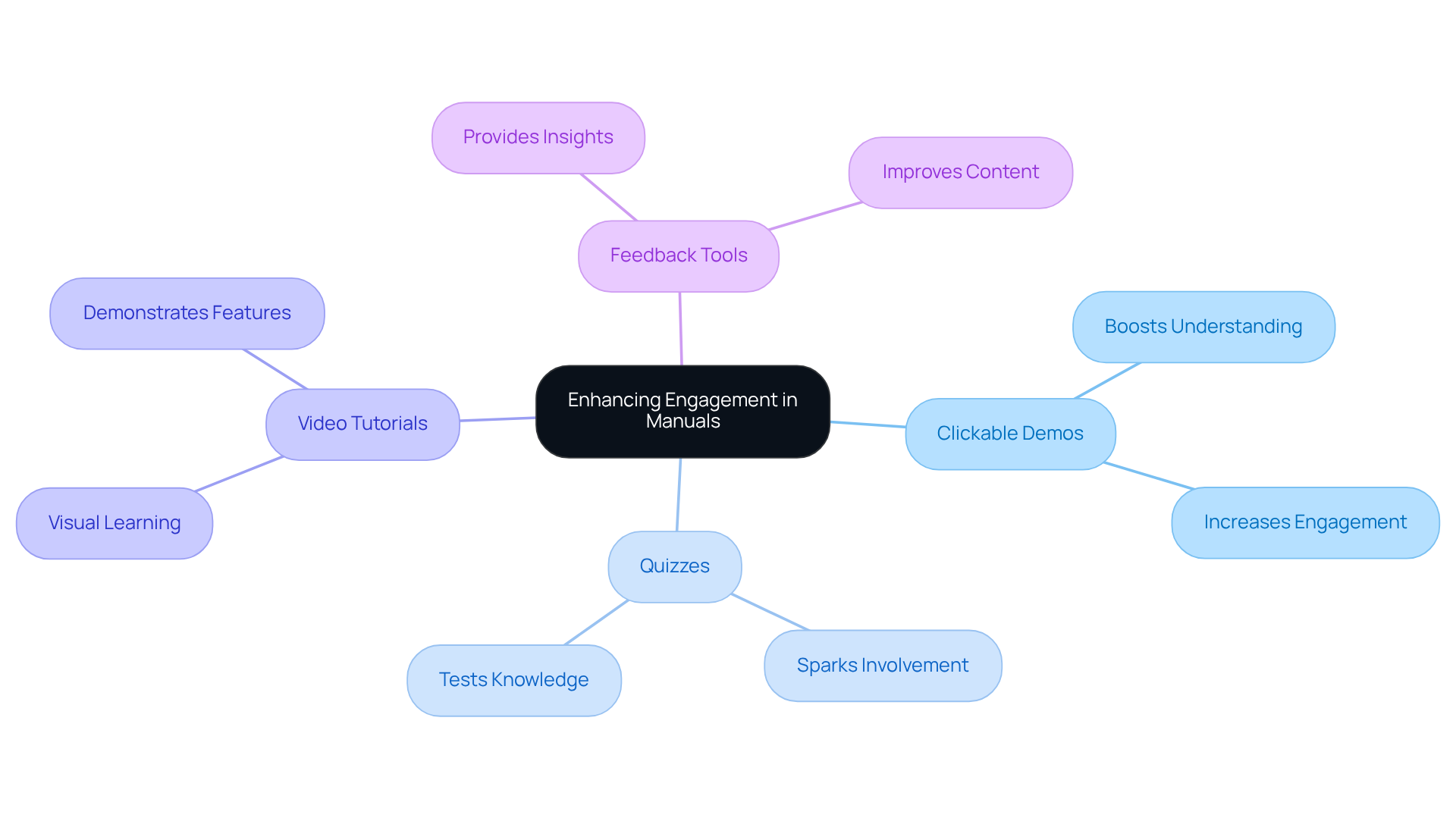
You might be wondering how to make your manuals more engaging as a manual maker, right? Well, incorporating fun elements like clickable demos, quizzes, and video tutorials is key! Take software documentation, for example. Guided tours can let users explore features interactively, which really boosts their understanding of the product. Research shows that engaging content can spark 52.6% more involvement than static formats - pretty impressive, huh?
And let’s not forget about feedback tools! Adding surveys or comment sections can give you valuable insights into user experiences and highlight areas that need a little TLC. By using a manual maker to turn your materials into an engaging experience, you not only grab attention more effectively but also help folks understand the content better, leading to greater satisfaction and retention. Plus, did you know that the popularity of engaging demos has shot up by nearly 90% since 2022? That’s a clear sign that it’s time to embrace these practices in your documentation.
Look at businesses like Swiggy - they’ve nailed it by using engaging elements to keep users hooked, showing just how effective this approach can be. As Navattic points out, high-performing interactive demos are concise, inviting, and personalized, which can really amp up user interaction. So, why not give it a shot?
Maintain and Update Documentation Regularly
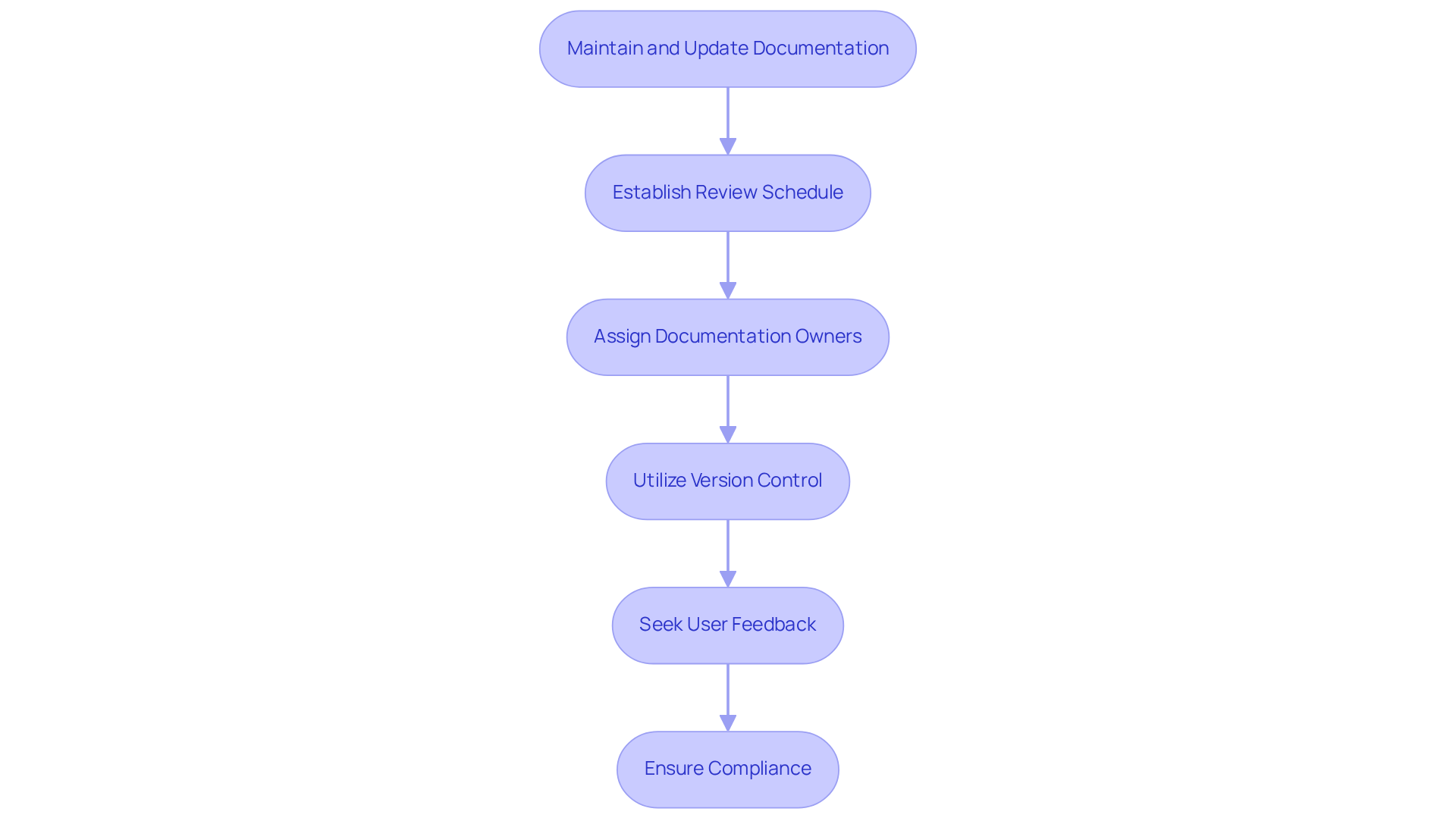
You might be wondering how to keep your records relevant and effective. Well, establishing a regular review schedule is key - think quarterly or bi-annually, depending on how often your processes change. It’s a good idea to assign specific team members as documentation owners. They’ll be responsible for keeping everything accurate and up-to-date.
Now, let’s dive into some practical tips! Utilize version control features in your manual maker. This way, you can easily monitor changes and ensure everyone has access to the latest information. And don’t forget to actively seek feedback from users! It’s a great way to pinpoint areas that need updates or clarifications. By prioritizing regular maintenance, you’re turning your records into a vital resource that boosts your team’s efficiency and productivity.
Did you know that Fortune 500 companies face an annual expense of $12 billion due to insufficient process records? That really highlights the need for organized review timelines! As Lisa Steingold puts it, "Embrace the power of record-keeping and witness the transformation it brings to your business in 2025 and beyond." This really emphasizes how crucial it is for operations managers to adopt effective record-keeping practices, especially since 97% of companies have minimal or no document management processes in place.
Lastly, aligning your documentation with current laws and best practices is super important. It ensures compliance and keeps your records relevant in a fast-changing business environment.
Conclusion
You might be wondering how mastering the art of using a manual maker can really boost your productivity and streamline your documentation processes. Well, it’s all about understanding the key features, creating structured documentation, adding some interactive elements, and keeping everything up to date. When organizations focus on these aspects, their manuals become not just informative but also engaging and relevant.
Think about it: customizing templates, integrating multimedia, and keeping track of versions are all essential practices that lay the groundwork for efficient manual creation. Plus, structuring your content with clear headings and consistency helps everyone on the team communicate better and understand the material more easily. And let’s not forget about those interactive elements - quizzes and feedback tools can really elevate user engagement, turning your documentation into a dynamic resource instead of just a static reference.
Ultimately, prioritizing these best practices doesn’t just improve the quality of your documentation; it also drives operational efficiency. Embracing these strategies can really change the game for how organizations manage their knowledge, paving the way for better collaboration and informed decision-making. So, by investing some time in mastering these techniques, you can tap into the full potential of your manual makers and help create a more organized and effective workplace.
Frequently Asked Questions
What is template customization in a manual maker?
Template customization allows users to create personalized templates that streamline record-keeping and maintain consistency across different projects, ultimately saving time and improving efficiency.
How does multimedia integration enhance manuals?
Multimedia integration enables the addition of images and videos, making guides more interactive and engaging for users, which can lead to increased user engagement.
What is the importance of version control in manual creation?
Version control is crucial for keeping materials accurate and up-to-date, facilitating smooth updates and revisions to the content.
How can understanding these features improve my manual-making skills?
Familiarizing yourself with features like template customization, multimedia integration, and version control will help you become a proficient manual maker, allowing you to create comprehensive manuals that meet organizational needs and enhance productivity.
👍
What others are liking


5 Steps to outline your ideal documentation structure
5 MINS READ
Where to start the your journey of mapping out your ideal documentation structure, aligning it with the very heartbeat of your organization?
Defining a winning level of detail in your process
3 MINS READ
What is too much detail, and what is too little? This article described in that winning level detail about what detail is enough.


