


Key Highlights
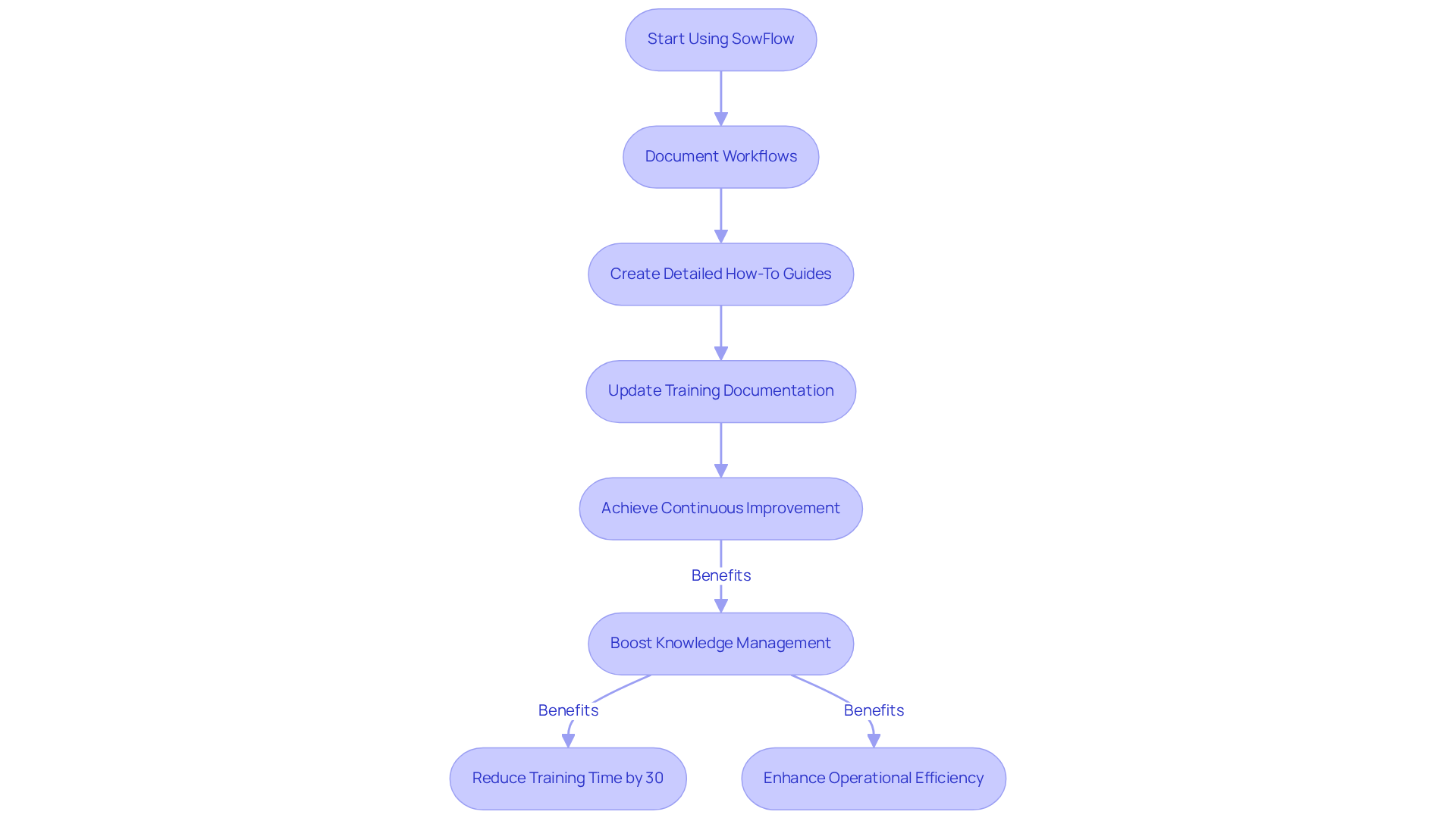
- SowFlow simplifies the creation of Standard Operating Procedures (SOPs) and process mapping with a Chrome extension, saving time and enhancing knowledge management.
- Effective SOPs can reduce training time by up to 30%, improving onboarding and productivity.
- Document360 offers a centralised knowledge management platform with advanced analytics, boosting collaboration and operational efficiency.
- 78% of CRM leaders prefer self-service solutions for customer issues, highlighting the importance of tools like Document360.
- Confluence by Atlassian facilitates real-time collaboration, document sharing, and task management, enhancing team productivity.
- Microsoft SharePoint provides structured document management with features like version control and customizable workflows, aiding compliance and data security.
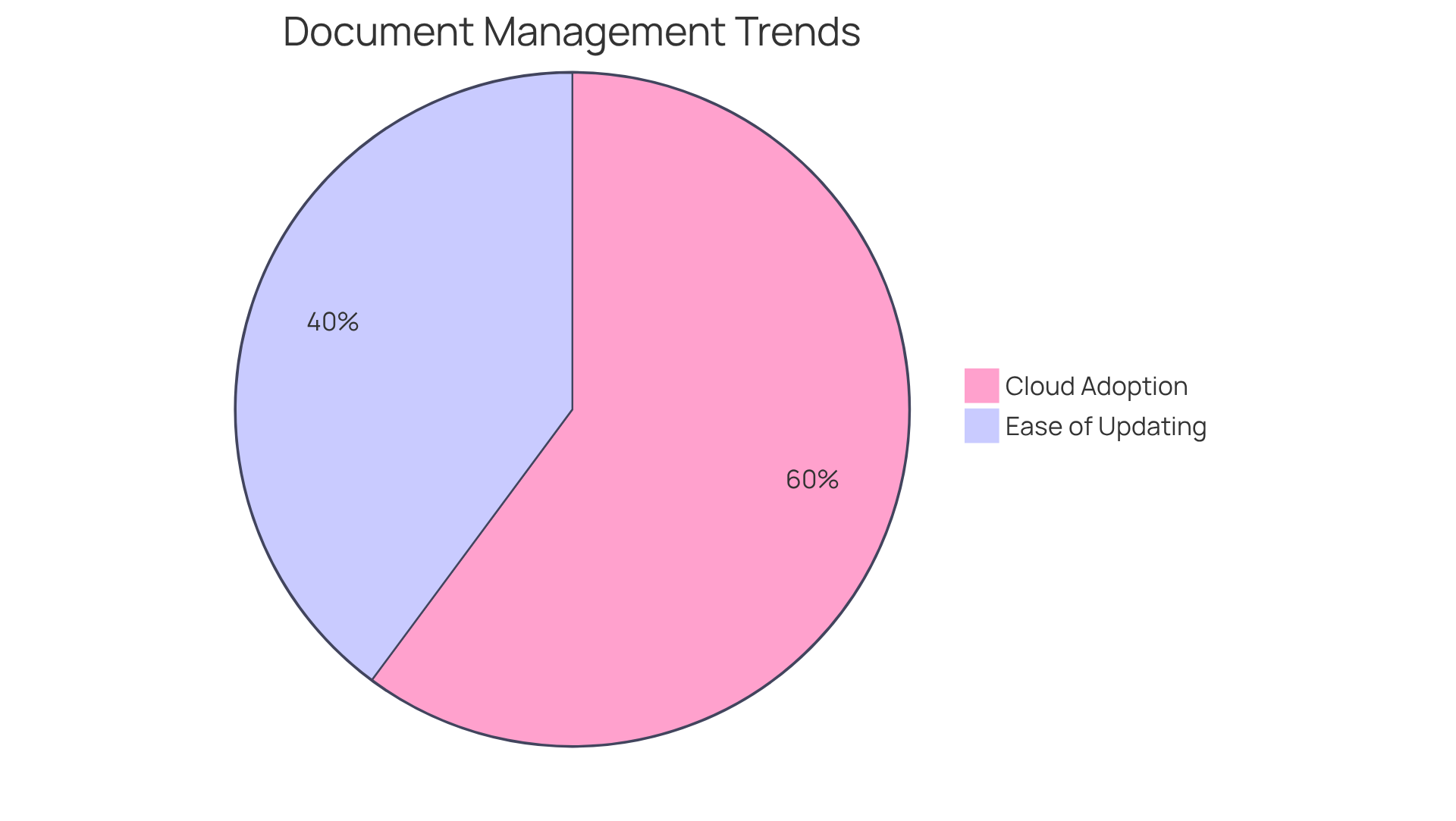
- 55% of businesses appreciate the ease of updating documents in electronic systems, making SharePoint a valuable tool.
- Articulate Storyline enables the creation of interactive e-learning content, significantly boosting learner engagement and retention rates.
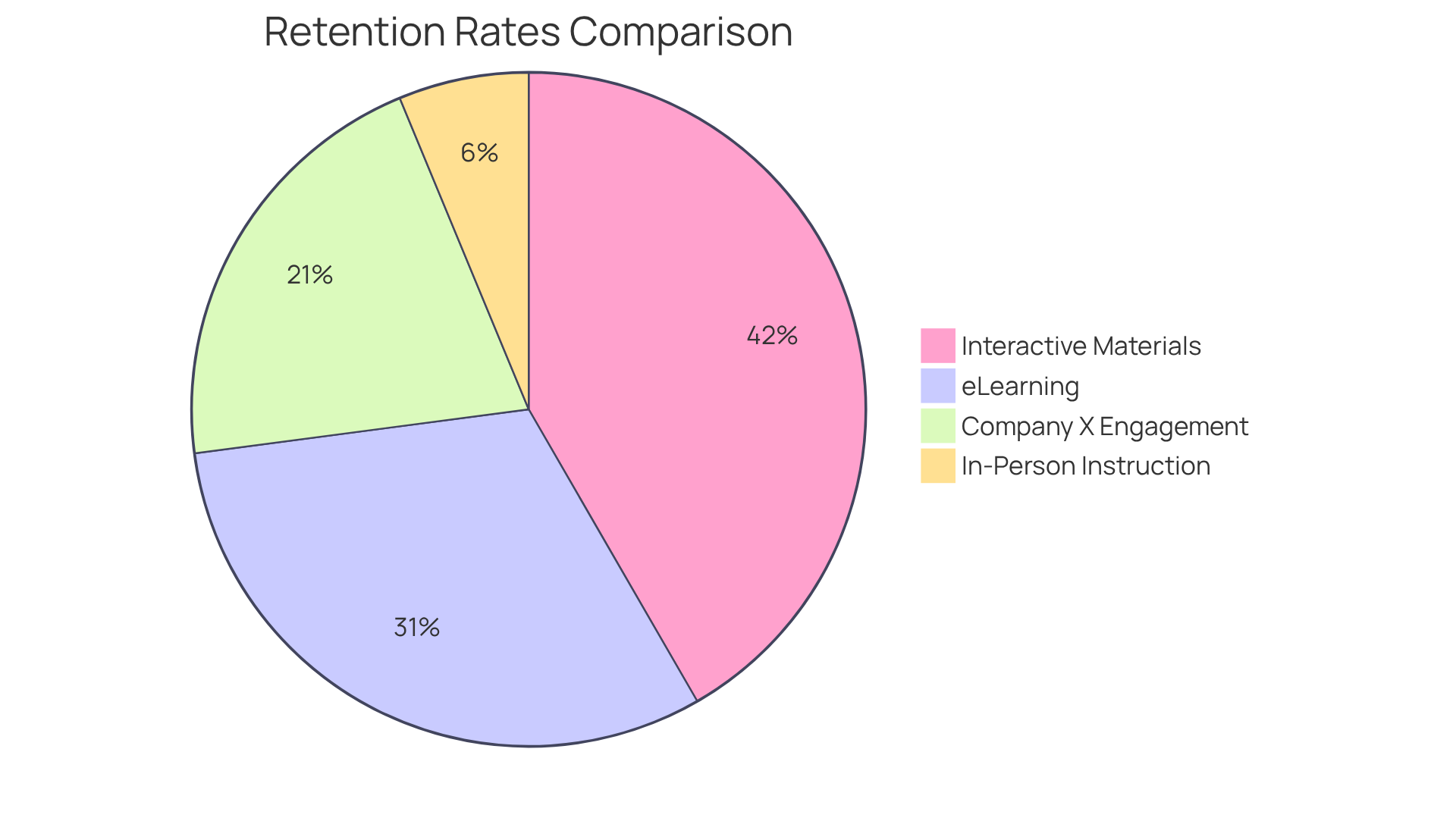
- Organisations using interactive materials report retention rates increasing by as much as 60%.
- iSpring Suite integrates with PowerPoint for easy e-learning course creation, catering to diverse learning needs and enhancing training outcomes.
- Scribe automates the documentation process by capturing workflows in real-time, reducing documentation time by up to 93%.
- ScreenSteps creates visual instructional documentation, improving onboarding and knowledge retention, with companies seeing productivity boosts over 70%.
- TalentLMS is a cloud-based learning management system that streamlines the creation and management of online courses, enhancing educational outcomes.
- ProProfs offers a versatile knowledge base tool with robust search and analytics features, improving customer support and operational efficiency.
- SafetyCulture (iAuditor) focuses on compliance education with adaptable instructional guides and real-time reporting, streamlining compliance processes.
Introduction
In our digital age, you might be wondering just how crucial efficient training documentation software has become. Organizations are always on the lookout for ways to streamline their operations, boost knowledge management, and make employee onboarding a breeze. So, let’s explore eleven essential tools that can really change the game for how businesses create, manage, and use training documentation. We’ll dive into their unique features and benefits, but with so many options out there, how do you figure out which software truly fits your needs and helps drive operational excellence? Let's find out!
SowFlow: Instant SOP Creation and Process Mapping
You might be wondering how SowFlow stands out in the crowded software landscape. Well, it’s all about using to make the creation of and a breeze! With its handy Chrome extension, teams can right from their browser, turning complex processes into easy, step-by-step guides. This not only saves you precious time but also boosts your , helping organizations keep their records fresh with minimal fuss.
By leveraging advanced technology, SowFlow lets users whip up detailed how-to guides that simplify operations and often tied to record-keeping. And let’s be real-effective SOPs are key to keeping things running smoothly and ensuring that knowledge sticks around, especially during . Organizations that roll out well-structured SOPs can slash by up to 30%, which means quicker onboarding and a nice boost in productivity.
Now, speaking of ease, SowFlow’s knack for effortlessly updating and revising means teams can tackle the complexities of documentation without breaking a sweat. This fosters a culture of continuous improvement and operational excellence. So, why not explore how SowFlow can help you ?
Document360: Centralized Knowledge Management
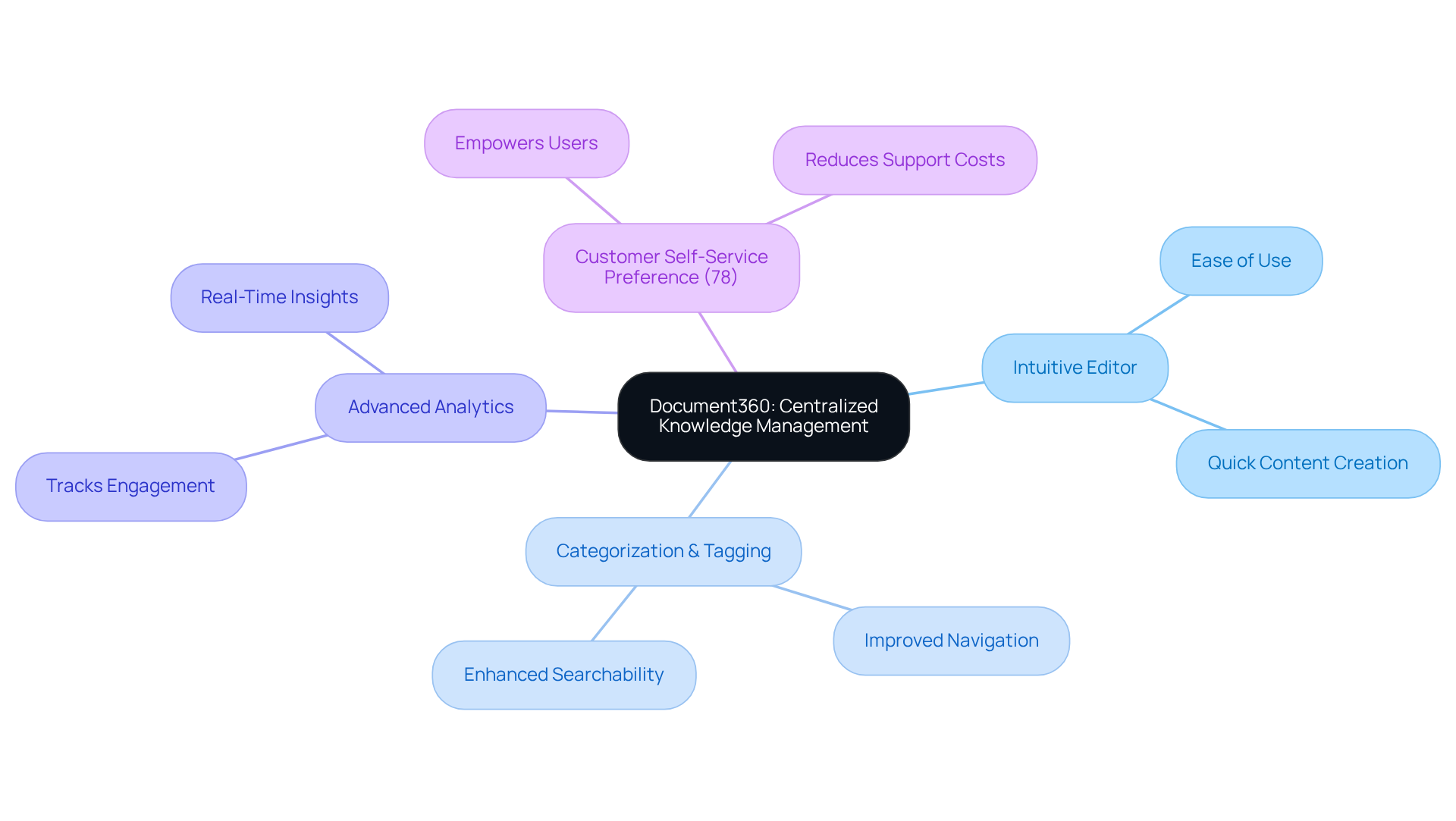
You might be wondering how Document360 can help you manage your knowledge base more effectively. Well, let me tell you, it’s a powerful platform designed just for that! With its intuitive editor and solid categorization and tagging systems, navigating through information becomes a breeze. Plus, the let you track engagement and tweak your content based on real-time insights. This centralized approach not only boosts collaboration among teams but also makes sure that crucial information is right at your fingertips, which can really ramp up your .
Now, here’s something to think about: did you know that 78% of CRM leaders say customers prefer to solve issues on their own? This trend really underscores the importance of platforms like Document360. They empower users to find answers quickly without needing to reach out for help. Experts in often point out that a well-organized can lead to happier customers and lower operational costs. So, if you’re looking to , like Document360 could be a game-changer!
Confluence: Collaborative Documentation Platform
You might be wondering how Confluence by Atlassian can make your team's life easier. Well, it’s a fantastic that lets teams create, share, and manage information in real-time. With its user-friendly interface, multiple people can edit documents at the same time, which really helps and transparency. Plus, it works seamlessly with other Atlassian products, making a breeze. Features like templates, task assignments, and inline comments mean your team can keep everything organized and ensure everyone’s on the same page, boosting productivity.
Now, let’s dive into another solution: SowFlow. This tool is shaking things up in the world of record-keeping by giving teams instant access to guides and materials. It simplifies the creation of and through , allowing folks to update and tweak without breaking a sweat. This not only saves time but also ramps up by providing they need, cutting down on those unnecessary meetings and making workflows smoother.
Microsoft SharePoint: Structured Document Management
You might be wondering how Microsoft SharePoint can help with your needs. Well, it’s not just any tool; it’s a comprehensive that provides you with everything you need for creating, storing, and managing documents efficiently. With features like and metadata tagging, finding the information you need becomes a breeze. In fact, did you know that 55% of businesses say the in electronic (EDMS) is a major perk compared to physical systems?
Speaking of perks, let’s talk about . SharePoint makes it easy for teams to collaborate seamlessly across Microsoft 365. This means you can access your documents from anywhere, which is a huge win for compliance and . As companies are increasingly focusing on digital transformation - 83% have moved at least half of their systems to the cloud as of 2023 - using such as SharePoint can really boost your and help you manage documents more effectively.
Plus, many organizations using SharePoint have seen . It’s proving to be quite effective in meeting regulatory obligations and keeping sensitive information safe. For example, companies across various sectors have successfully leveraged SharePoint to enhance their compliance processes, showcasing just how practical this tool can be. So, if you’re looking to improve your documentation game, SharePoint might just be the solution you need!
Articulate Storyline: Interactive E-Learning Creation
You might be wondering what makes Articulate Storyline such a standout in the world of e-learning authoring tools. Well, it’s all about empowering you to create . With its intuitive interface, you can easily blend in multimedia elements, quizzes, and branching scenarios, which really amps up learner engagement.
And here’s something to think about: organizations that use have reported ! That’s a huge leap compared to the 25% to 60% boost eLearning typically offers, especially when you consider that in-person instruction only manages about 8% to 10%. Plus, Storyline’s responsive design ensures your courses look great on any device, which is a must in today’s learning environments.
Now, as we look ahead to 2025, interactive e-learning trends are only going to get stronger. Did you know that 72% of organizations believe eLearning gives them a competitive edge? By using tools like Articulate Storyline, you can that not only inform but also engage your learners. For instance, Company X saw a during their training sessions, which led to a fantastic 50% boost in knowledge retention afterward.
This really highlights how Articulate Storyline can make a difference in your for education. So, why not explore how you can leverage this tool to ?
iSpring Suite: Comprehensive E-Learning Solutions
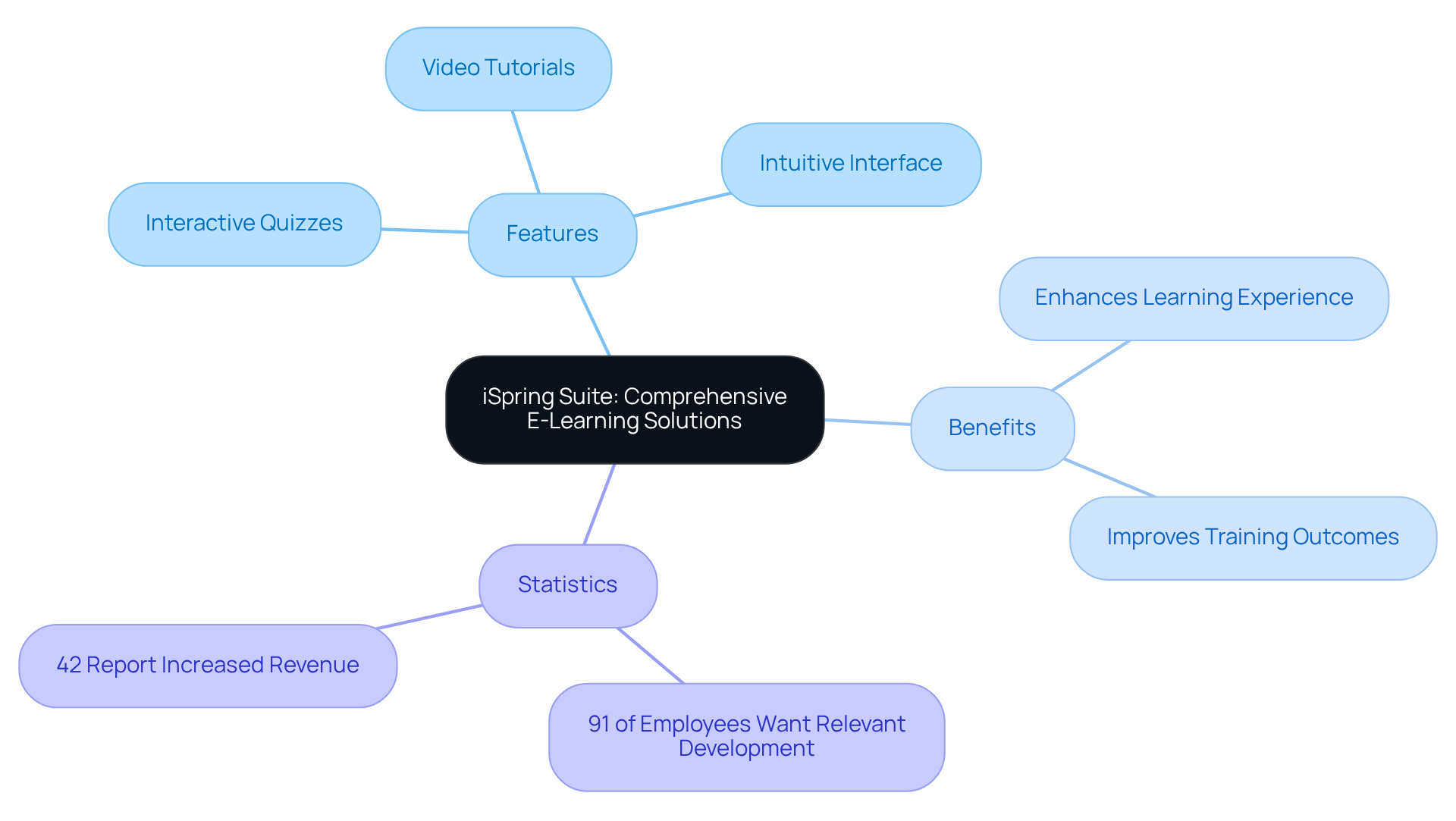
You might be wondering how to create engaging e-learning content without feeling overwhelmed. Well, let me introduce you to iSpring Suite! This powerful works seamlessly with PowerPoint, making it super easy for you to whip up in no time.
With features like , video tutorials, and role-playing scenarios, it caters to all sorts of learning needs. And don’t worry if you’re not a tech whiz; its intuitive interface lets anyone create captivating content quickly. Imagine how much simpler your could be with the use of ! By using iSpring Suite, you can really for your employees.
Now, here’s something to think about: in 2025, are going to be a game-changer. They boost learning effectiveness by keeping people engaged and helping them remember what they’ve learned. Did you know that 91% of employees want development that’s relevant to their daily tasks? That’s where iSpring Suite shines!
Plus, companies that adopt innovative tools such as not only improve their but also build a more skilled workforce. This can lead to real business success! In fact, 42% of organizations have reported increased revenue after implementing eLearning in their sales training. So, investing in like iSpring Suite isn’t just smart; it’s essential!
Scribe: Workflow-Based Documentation Tool
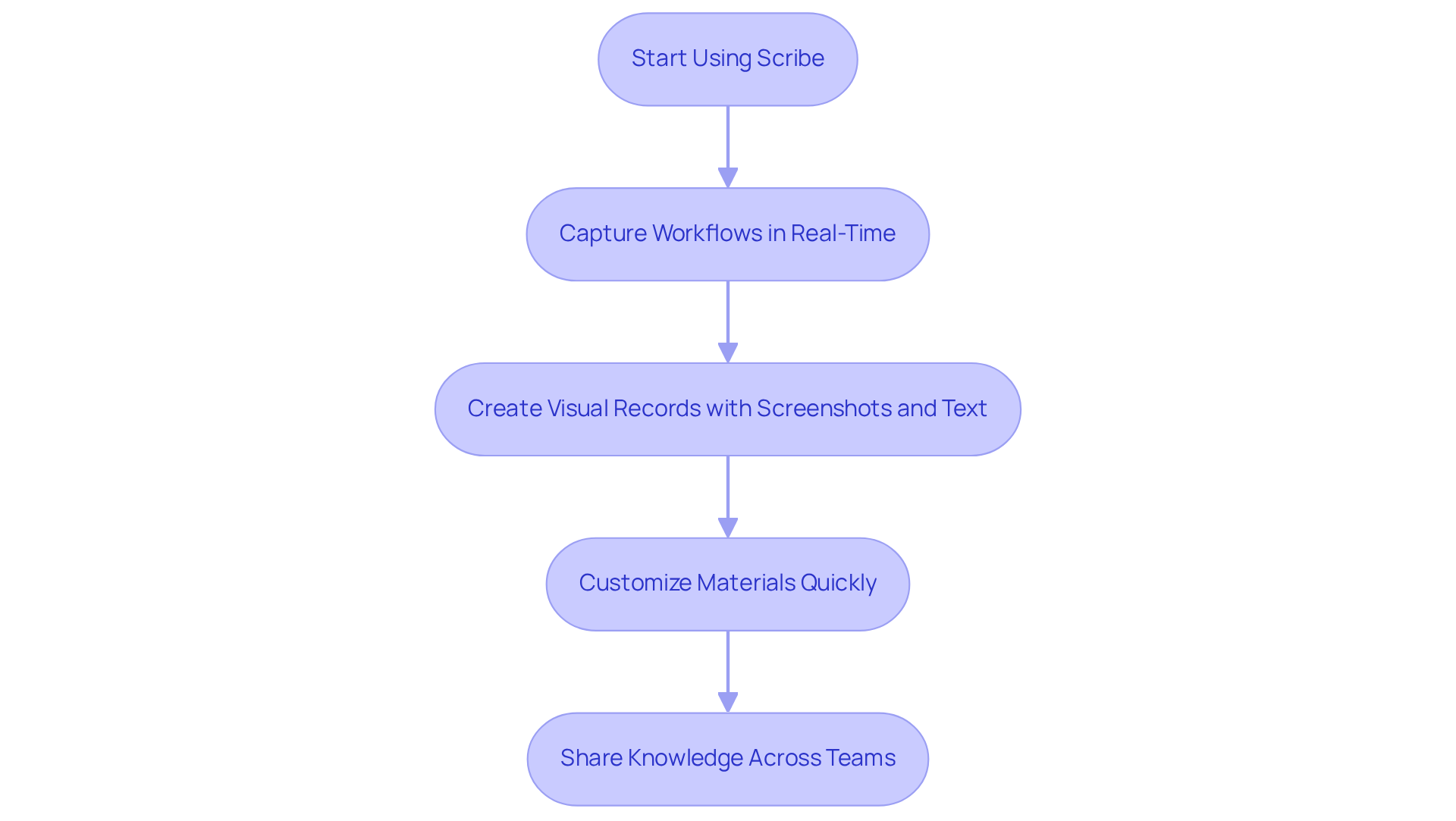
You might be wondering how to make the use of less of a chore. Well, let me introduce you to Scribe! This nifty automates the creation of by capturing workflows in real-time. Imagine being able to . It’s all about making a breeze by utilizing .
The best part? Scribe’s intuitive interface lets you customize your materials quickly, so they stay relevant and up-to-date. Organizations that adopt often find they’re spending way less time on . In fact, some folks have reported a jaw-dropping reduction of up to 93% in the time their teams spend documenting, verifying, and sharing processes. Can you believe that?
As one user put it, doesn’t just ; it frees up teams to . This shift can really transform how your workflow operates. So, why not give Scribe a try and see how it can change the game for your team?
ScreenSteps: Visual Training Documentation
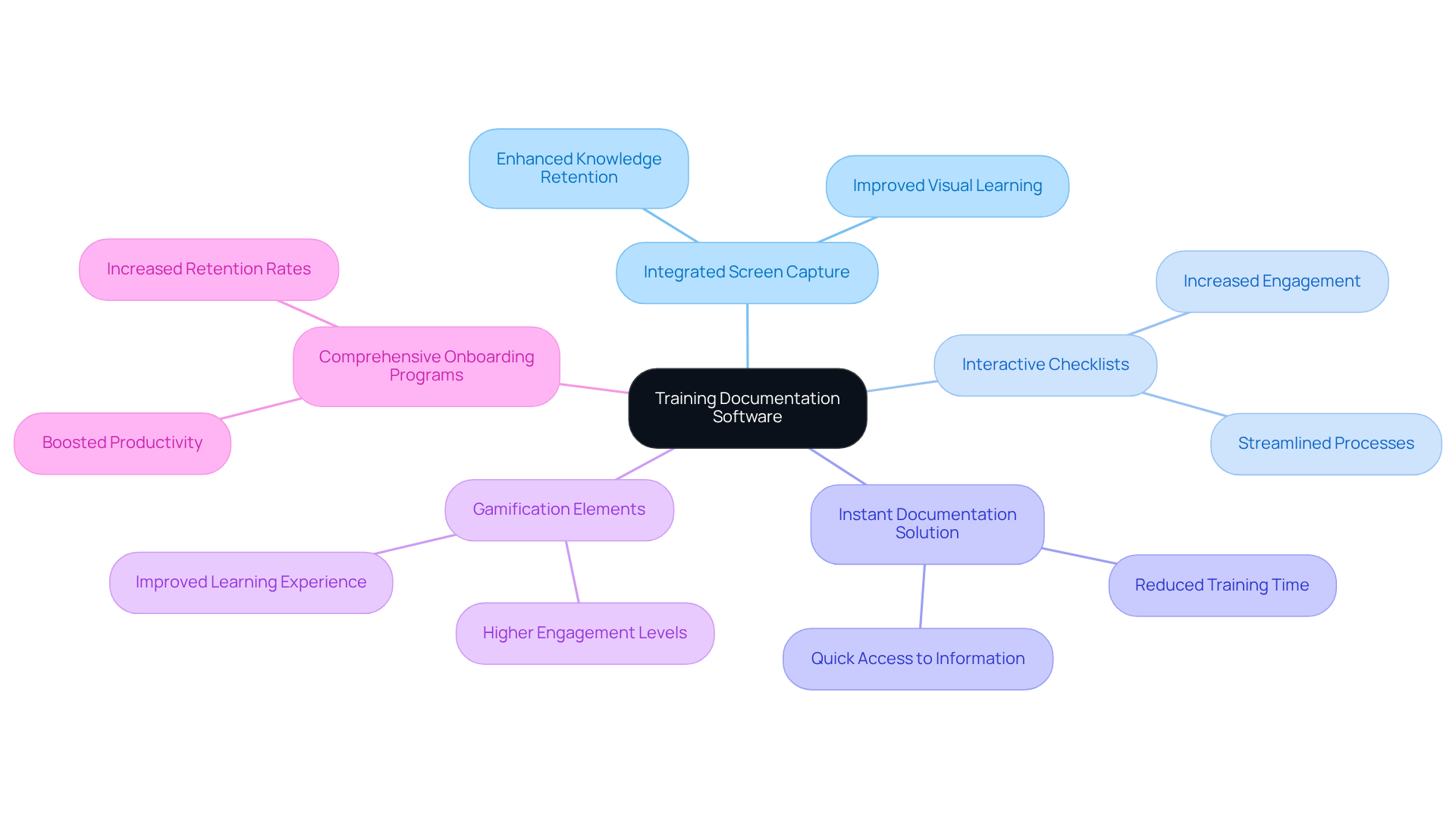
You might be wondering how can make your documentation process smoother and more effective. Well, let me introduce you to ScreenSteps! This platform serves as a game-changer for creating with . helps you turn complex processes into clear, step-by-step instructions, making onboarding and a breeze.
With features like integrated screen capture and interactive checklists, educational materials become not just informative but also engaging for learners. Imagine your team actually enjoying the learning process! Organizations that have embraced ScreenSteps are seeing some impressive results - like enhanced knowledge retention and a . In fact, companies with a solid onboarding process can !
Now, let’s talk about . This tool lets teams share their workflows in just seconds, ensuring everyone has quick access to the right documents. How cool is that? This capability really streamlines and makes a cinch, aided by , helping new hires transition into their roles with ease.
As John Gerald, a CEO, puts it, 'Companies with are 50% more likely to retain new hires for at least one year.' This really drives home the point about investing in such as ScreenSteps and SowFlow to tackle the challenges of traditional onboarding methods. So, why not explore these solutions and see how they can work for you?
TalentLMS: Integrated Learning Management System
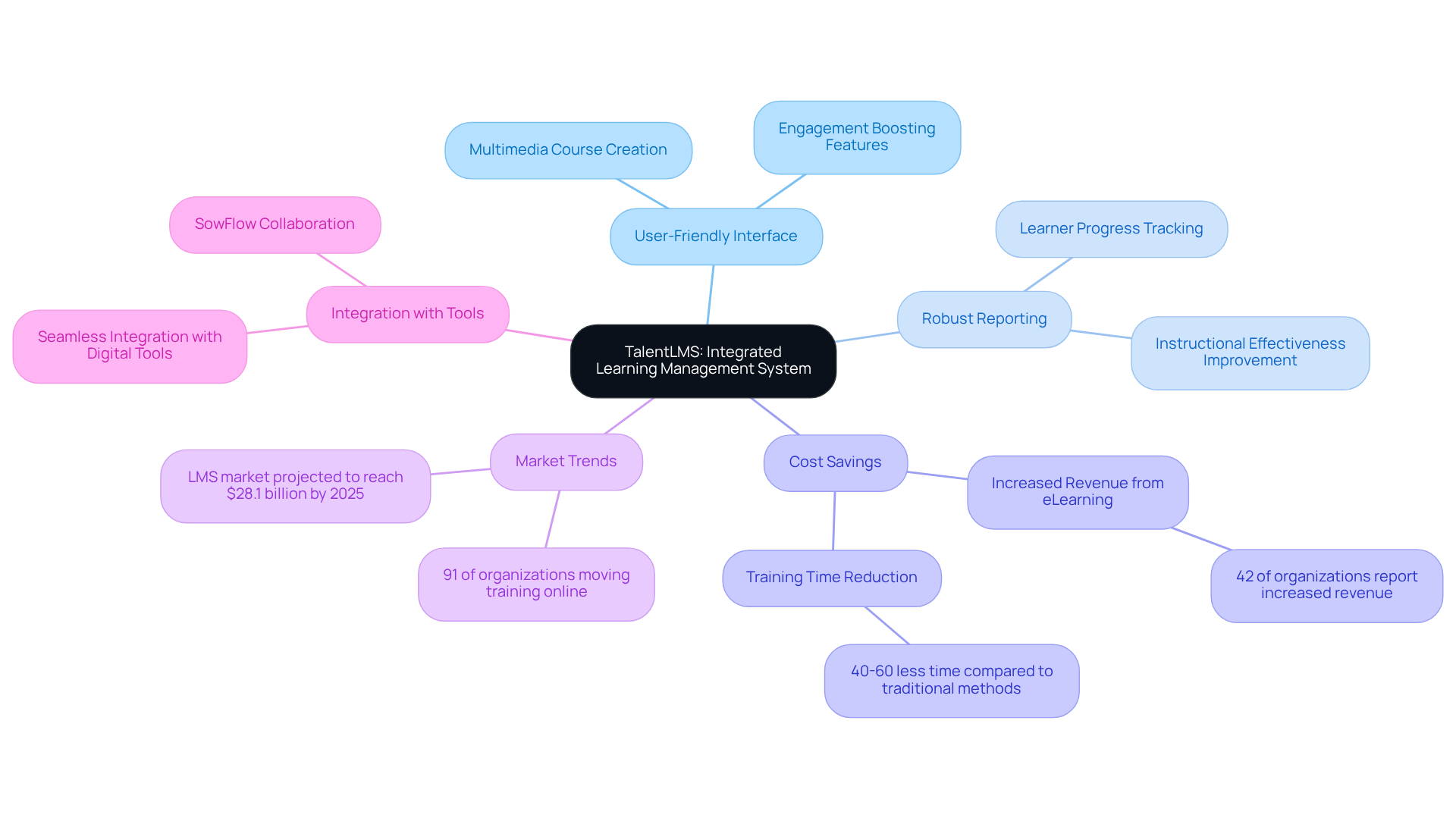
You might be wondering what TalentLMS is all about. Well, it’s a cloud-based learning management system that makes creating, delivering, and managing online educational programs a breeze. With its user-friendly interface, you can whip up courses that include multimedia elements and assessments, which really boosts learner engagement. Plus, its robust reporting and analytics features let companies keep tabs on learner progress and improve instructional effectiveness.
Did you know that research shows organizations using can save a ton of money while also seeing better educational outcomes? By using like TalentLMS, companies can , ensuring employees have quick access to the resources they need to succeed. This is especially relevant today, as 91% of organizations are moving at least part of their mandatory compliance training online. It’s a clear sign that instructional methods are evolving to be more efficient.
Speaking of efficiency, let’s talk about SowFlow. Their takes TalentLMS to the next level by allowing teams to share workflows in just seconds. This means that important documents are always at your fingertips, thanks to , making onboarding and smoother than ever. It also empowers teams to respond quickly to training needs, which is a huge plus.
With the , investing in a solution like TalentLMS - especially with - could be a game changer for companies. And here’s a little nugget: 52% of LMS users are unhappy with systems that don’t integrate well with other digital tools. So, it’s super important to choose a platform that connects seamlessly with what you’re already using.
ProProfs: Versatile Knowledge Base Tool
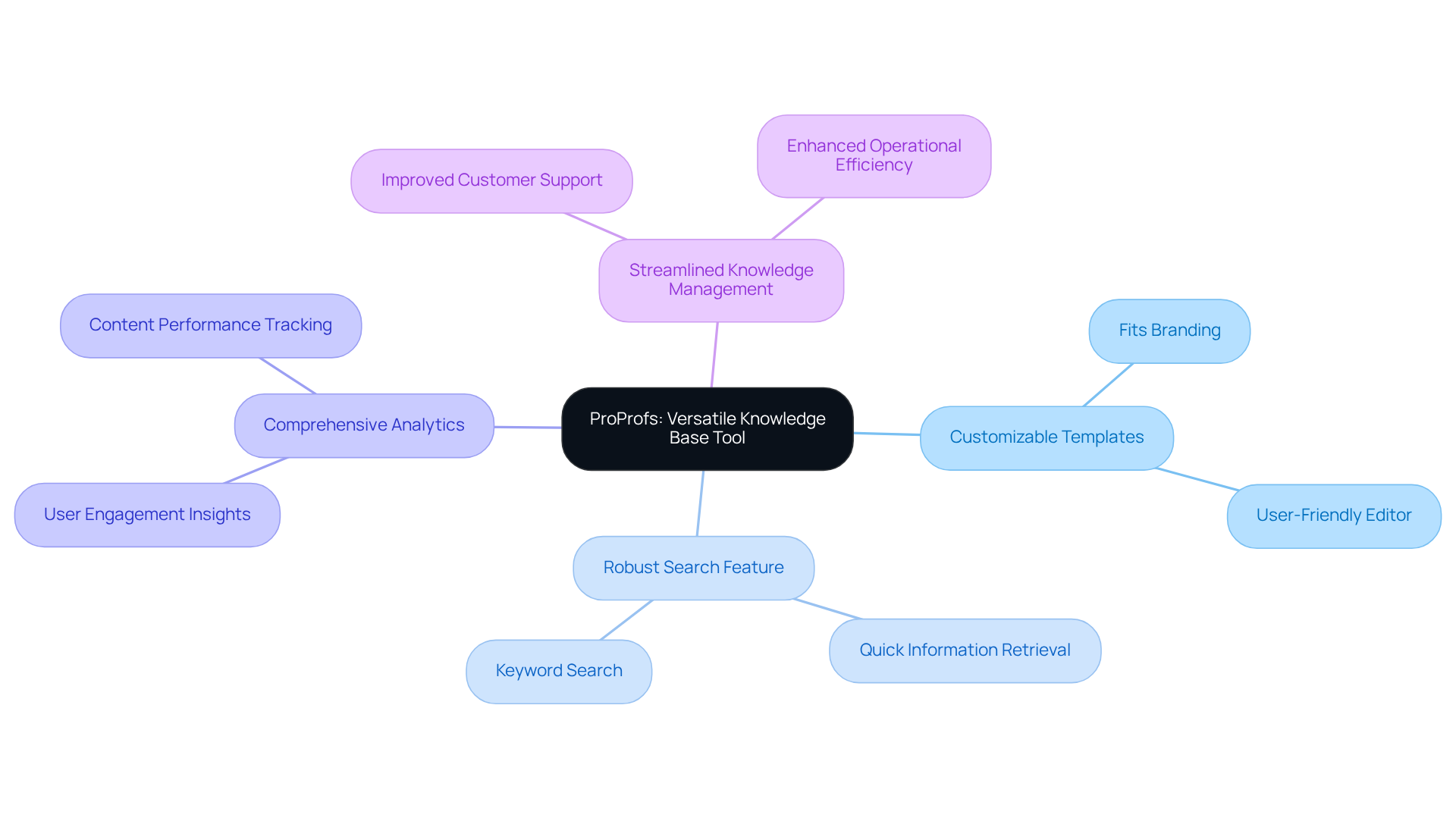
You might be wondering how to make your knowledge management smoother and more effective. Well, let me introduce you to ProProfs! This versatile is perfect for creating and managing all those online records, FAQs, and guides you need. With customizable templates and an easy-to-use editor, your team can whip up a knowledge base that not only fits your branding but also meets your specific needs.
Now, imagine being able to find information in a snap! ProProfs has a robust search feature that helps you locate exactly what you need quickly, making the whole experience a breeze. Plus, with comprehensive analytics, you’ll get valuable insights into how people are engaging with your materials. This can really help you fine-tune your strategies.
By using ProProfs, companies can streamline their , which means and improved operational efficiency. As more and more businesses realize the importance of , they find that like ProProfs is becoming a must-have tool. It’s all about boosting user engagement and enhancing self-service capabilities - trends that are only going to grow in 2025. So, why not explore how ProProfs can help you tackle your documentation challenges?
SafetyCulture (iAuditor): Compliance-Focused Training Manuals
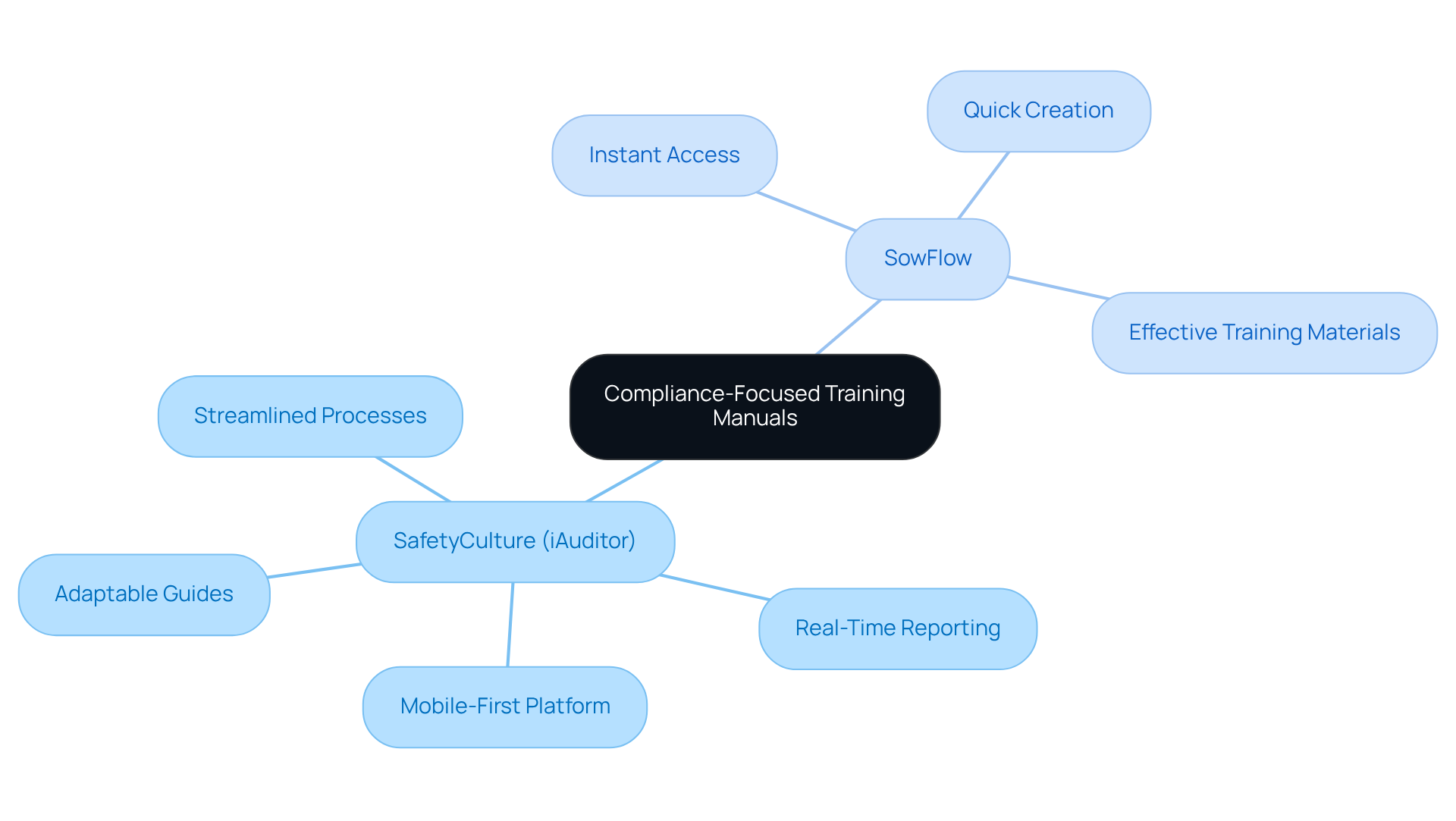
You might be wondering how SafetyCulture, once known as iAuditor, can make a breeze. Well, it’s a mobile-first platform designed just for that! It helps organizations whip up and checklists with , ensuring they meet industry standards without breaking a sweat.
With cool features like real-time reporting and analytics, SafetyCulture lets teams keep an eye on compliance and spot areas that could use a little TLC. By using the from SafetyCulture, you can streamline your and keep safety and compliance at the forefront.
Now, let’s talk about . Incorporating features of means your team gets instant access to , making it easier to develop and update educational materials. ’s enables quick creation and modification of user guides, ensuring your in today’s fast-paced business world.
When you combine SafetyCulture’s focus on compliance with ’s knack for , you’re looking at a serious . Plus, it streamlines onboarding processes, which is music to the ears of Operations Managers everywhere. So, why not explore how can help you tackle your documentation challenges?
Conclusion
You might be wondering how the right training documentation software can really make a difference for your organization. Well, it’s all about boosting operational efficiency and streamlining those pesky processes. The tools we’ve talked about, like SowFlow’s SOP creation and Document360’s centralized knowledge management, show just how technology can change the game for teams when it comes to documenting, sharing, and managing information. By leveraging these solutions, you’re not just simplifying workflows; you’re also nurturing a culture of continuous improvement and knowledge retention.
Throughout our chat, we’ve explored some key features of each software. Think about:
- Confluence’s collaborative documentation
- Microsoft SharePoint’s structured document management
- Articulate Storyline’s interactive e-learning capabilities
Each of these tools brings something unique to the table, catering to different aspects of training and documentation. And let’s not forget the stats! They really highlight the positive impact these tools can have, like cutting down training times and boosting employee engagement.
As businesses keep evolving in this fast-paced world, investing in effective training documentation software isn’t just a nice-to-have; it’s essential. The insights we’ve shared here can guide you in enhancing your documentation processes and improving overall productivity. So, why not take a closer look at these innovative solutions? By doing so, you can streamline your operations and stay ahead in this competitive landscape.
Frequently Asked Questions
What is SowFlow and how does it help with SOP creation?
SowFlow is a training documentation software that simplifies the creation of Standard Operating Procedures (SOPs) and process mapping. It features a Chrome extension that allows teams to document workflows directly from their browser, turning complex processes into easy, step-by-step guides.
How does SowFlow improve knowledge management?
SowFlow helps organizations maintain fresh records with minimal effort, allowing for the creation of detailed how-to guides that simplify operations. This is particularly beneficial during employee transitions, as effective SOPs can reduce training time by up to 30%, leading to quicker onboarding and increased productivity.
What are the benefits of using Document360 for knowledge management?
Document360 is a powerful platform designed for effective knowledge management, featuring an intuitive editor, solid categorization, and tagging systems. It provides advanced analytics to track engagement, enhancing collaboration among teams and ensuring crucial information is easily accessible, which boosts operational efficiency.
Why is self-service important in knowledge management?
Self-service is important because 78% of CRM leaders report that customers prefer to resolve issues on their own. A well-organized self-service knowledge base can enhance customer satisfaction and reduce operational costs, making platforms like Document360 essential for streamlining operations.
What features does Confluence offer for collaborative documentation?
Confluence by Atlassian is a collaborative content platform that allows teams to create, share, and manage information in real-time. It includes features like simultaneous editing, templates, task assignments, and inline comments, which enhance collaboration, transparency, and productivity.
How does SowFlow complement Confluence in documentation processes?
SowFlow complements Confluence by providing instant access to guides and materials, simplifying the creation of SOPs and training materials. It allows teams to update documentation easily, saving time and enhancing efficiency by reducing unnecessary meetings and streamlining workflows.
List of Sources
- SowFlow: Instant SOP Creation and Process Mapping
- sowflow.io (https://sowflow.io/blog-post/9-benefits-of-sop-in-manufacturing-for-operational-excellence)
- 25 Inspirational Business Process Improvement Quotes (https://teamguru.com/blog/25-inspirational-business-process-improvement-quotes/1632)
- What Business Process Management Statistics Experts Want You to Know (https://cflowapps.com/business-process-management-statistics)
- How to Map and Optimize Business Processes for Better Results (https://systemsandteams.com/how-to-map-and-optimize-business-processes-for-better-results)
- Document360: Centralized Knowledge Management
- Top 8 Knowledge Management Statistics in 2026 (https://knowmax.ai/blog/knowledge-management-statistics)
- Knowledge Management Trends and Statistics — 2025 Outlook (https://livepro.com/knowledge-management-trends-statistics)
- Knowledge Management Statistics and Trends in 2025 (https://cake.com/blog/knowledge-management-statistics)
- Knowledge Management Market Share and Statistics - 2034 (https://factmr.com/report/knowledge-management-market)
- Measuring the Impact of Knowledge Management Systems on Employee Engagement (https://vorecol.com/blogs/blog-measuring-the-impact-of-knowledge-management-systems-on-employee-engagement-163103)
- Confluence: Collaborative Documentation Platform
- Top Quotes from Atlassian Team 2021 - Part 1 (https://community.atlassian.com/forums/Official-Atlassian-Events/Top-Quotes-from-Atlassian-Team-2021-Part-1/ba-p/1682914)
- Project Collaboration Best Practices | Atlassian (https://atlassian.com/software/confluence/resources/guides/best-practices/project-collaboration)
- Real-Time Document Collaboration Tools 2025-2033 Trends: Unveiling Growth Opportunities and Competitor Dynamics (https://archivemarketresearch.com/reports/real-time-document-collaboration-tools-557440)
- Collaborate on a Confluence page | Atlassian (https://atlassian.com/software/confluence/resources/guides/confluence-essentials/collaborate)
- Document Management Stats & Trends in Digital Era | Insights丨PDF Reader Pro (https://pdfreaderpro.com/blog/document-management-statistics)
- Microsoft SharePoint: Structured Document Management
- Document Management System Market Size, Share, Trends 2034 (https://fortunebusinessinsights.com/document-management-system-market-106615)
- Document Management Stats & Trends in Digital Era | Insights丨PDF Reader Pro (https://pdfreaderpro.com/blog/document-management-statistics)
- 100 Document Management Statistics to Make You Rethink Your Processes in 2025 (https://filecenter.com/blog/document-management-statistics)
- 3 Important Document Management Statistics You Should Know - Record Storage Systems (https://recordstorage.com/blog/3-document-management-statistics-for-your-organization)
- Articulate Storyline: Interactive E-Learning Creation
- 110+ eLearning Statistics That Will Blow Your Mind [2024] (https://growthengineering.co.uk/elearning-statistics)
- vorecol.com (https://vorecol.com/blogs/blog-the-impact-of-interactive-content-on-learning-engagement-and-retention-in-corporate-training-186531)
- Facts and Stats That Reveal The Power Of eLearning [Infographic] (https://shiftelearning.com/blog/bid/301248/15-facts-and-stats-that-reveal-the-power-of-elearning)
- Online Learning Statistics: The Ultimate List in 2025 | Devlin Peck (https://devlinpeck.com/content/online-learning-statistics)
- The 78 Best eLearning Quotes for Motivation and Inspiration (https://ispringsolutions.com/blog/elearning-quotes)
- iSpring Suite: Comprehensive E-Learning Solutions
- Employee Training Statistics, Trends, And Data In 2025 (https://elearningindustry.com/employee-training-statistics-trends-and-data)
- eLearning Statistics for 2026: Corporate Trends and Insights to Know (https://ispringsolutions.com/blog/elearning-statistics)
- Corporate eLearning Statistics (2025): Key Trends & ROI Data | Continu (https://continu.com/research/corporate-elearning-statistics)
- Top 10 eLearning statistics in 2025 | SC Training (https://training.safetyculture.com/blog/elearning-statistics)
- eLearning Statistics and Facts: The Ultimate List in 2025 | Devlin Peck (https://devlinpeck.com/content/elearning-statistics)
- Scribe: Workflow-Based Documentation Tool
- 3 Takeaways from Cleveland Clinic’s AI Scribe Pilot Process and System Selection | AHA (https://aha.org/aha-center-health-innovation-market-scan/2025-03-11-3-takeaways-cleveland-clinics-ai-scribe-pilot-process-and-system-selection)
- The Ultimate Guide to Process Automation | Scribe (https://scribe.com/library/process-automation)
- Ambient AI Scribe Early Gains and Open Questions (https://jamanetwork.com/journals/jamanetworkopen/fullarticle/2839544)
- The Impact of AI Scribes on Streamlining Clinical Documentation: A Systematic Review (https://mdpi.com/2227-9032/13/12/1447)
- How AI transformed my documentation process with Scribe | Alex Banks posted on the topic | LinkedIn (https://linkedin.com/posts/a-banks_ad-scribepartner-scribehow-activity-7364265312139001856-ca1x)
- ScreenSteps: Visual Training Documentation
- Employee Training Statistics, Trends, And Data In 2025 (https://elearningindustry.com/employee-training-statistics-trends-and-data)
- 35 employee onboarding statistics every HR should know (2025) (https://appical.com/resources/blog/employee-onboarding-statistics)
- These 50+ Employee Onboarding Statistics Impacting Hiring [2026] (https://yomly.com/employee-onboarding-statistics)
- 20 Key Employee Onboarding Statistics to Know in 2025 (https://deel.com/blog/employee-onboarding-statistics)
- newployee.com (https://newployee.com/blog/employee-onboarding-statistics)
- TalentLMS: Integrated Learning Management System
- The Latest Learning Management Systems Statistics (2026) - Programs.com (https://programs.com/resources/lms-statistics)
- 61+ LMS Statistics 2025: Data, Trends, Future by 2035 (https://ensaantech.com/blog/lms-statistics-and-trends)
- Corporate eLearning Statistics (2025): Key Trends & ROI Data | Continu (https://continu.com/research/corporate-elearning-statistics)
- eLearning Statistics for 2026: Corporate Trends and Insights to Know (https://ispringsolutions.com/blog/elearning-statistics)
- 20 Expert and Inspirational Quotes about eLearning (https://matcgroup.com/instructional-design/20-expert-and-inspirational-quotes-about-elearning)
- ProProfs: Versatile Knowledge Base Tool
- 10 Knowledge Management System Features (https://proprofskb.com/blog/knowledge-management-system-features)
- 2025 Knowledge Base Trends: Data-Backed Insights for Better Support (https://proprofskb.com/blog/knowledge-base-trends)
- Top Knowledge Management Trends and Statistics in 2025 (https://helpjuice.com/blog/top-knowledge-management-trends-and-statistics-in-2024)
- ProProfs Knowledge Base Software Case Studies (https://proprofskb.com/case-study)
- 15 Knowledge Base Tools To Increase Client Support Efficiency | Dashly (https://dashly.io/blog/best-knowledge-management-tools)
- SafetyCulture (iAuditor): Compliance-Focused Training Manuals
- Measuring the Effectiveness of Safety Training | NASP (https://naspweb.com/blog/measuring-the-effectiveness-of-safety-training)
- 10 Employee training statistics in 2025 | SC Training (https://training.safetyculture.com/blog/employee-training-statistics)
- 100+ Compliance Statistics You Should Know in 2025 (https://sprinto.com/blog/compliance-statistics)
- 10 policy management and compliance stats for 2025 - Xoralia (https://xoralia.com/ten-policy-management-and-compliance-statistics-you-need-to-know-for-2023)
👍
What others are liking


5 Steps to outline your ideal documentation structure
5 MINS READ
Where to start the your journey of mapping out your ideal documentation structure, aligning it with the very heartbeat of your organization?
Defining a winning level of detail in your process
3 MINS READ
What is too much detail, and what is too little? This article described in that winning level detail about what detail is enough.


